Happy Sunday! This week has been very important because significant leaders like Mark Zuckerberg and Pope Francis spoke at the United Nations. And also, today we are releasing a new FrostWire (6.1.5) for Windows, Mac and Linux.
This update makes FrostWire faster and leaner in memory usage, here’s how.
We fixed Kat Search, Bitsnoop Search, and EZTV search, so now you won’t have any issues when you search. Also, we replaced our HTTP networking engine and FrostWire is now more efficient and reliable than ever when it comes to web connectivity, this means faster and more reliable search results, faster media result previews, faster YouTube, SoundCloud and Archive.org downloads and all of this with less resources from your computer.
We also updated our Java runtime to the latest version (1.8.0 build 60), and removed Radio functionality which had been hard to maintain, not used by many people and not that great as we couldn’t keep up with the station url churn.
If you want to enjoy online radio we recommend you just open your web browser and head to shoutcast.com.
Enjoy your weekend with this new FrostWire. Remember, FrostWire is totally free and you can download it directly our our website FrostWire.com/Downloads
Changelog
frostwire (6.1.5) stable; urgency=high
  * New http engine based on okhttp, uses pooled connections, less threads,
    less memory. Faster and more reliable search & cloud downloads.
  * libtorrent/jlibtorrent core update (v 1.1.0.9).
  * Fixes KAT search.
  * Fixes Bitsnoop search.
  * Fixes EZTV search.
  * Removes Radio functionality from Library.
  * When the search options are opened, the keyword textfield is autofocused.
  * Java Runtime upgrade to v1.8.0_60.
  * Codebase cleanup and refactors.

 -- FrostWire Team <contact@frostwire.com>  Thu, 25 Sep 2015 11:04:00 -0500
What is FrostWire?
FrostWire, a BitTorrent Client & YouTube Downloader that makes it easier to search, download, play and share content from the BitTorrent network & cloud sources, all in one place, announced today its new ‘preview’ and ‘play as you download’ capabilities for Android phones and tablets. The new preview feature not just enables users with a more convenient way to find and discover content, it makes downloading optional in some cases.
(If you are on Android right now, don’t download it with Chrome, as Google now wants to censor out apps outside of Google Play and it will not open the installer after you download it, use Firefox instead, or a use File Explorer to open the .apk installer after you have downloaded it)
Saturday, Sep. 26th 2015
Miami, FL.
We have replaced our web engine and now we have an even better app.
This means, faster search results, faster-more reliable cloud downloads and previews, less memory usage, less battery usage.
We’ve also fixed several search sources, SoundCloud, Bitsnoop and KAT are back.
There’s also a ton of user experience details we’ve taken care of that we hope you don’t even notice, as everything should just work.
CHANGELOG:
FrostWire 1.6.4 – SEPTEMBER/24/2015
– New http engine based on okhttp, uses pooled connections, less threads, less memory.
– Visited previews also marked as visited and remembered during session.
– Fixes SoundCloud.
– Fixes KAT search.
– Fixes BitSnoop search.
– Browse and manage your .torrent files.
– Browsing document files now reveals all saved .apk files.
– Multiple crash fixes on audio player.
– No more annoying yellow notification messages when removing tracks.
– UX: My files won’t forget your search filter if you overscroll for a refresh.
Imagine that you have a box in your house. In that box, you have passwords to your bank accounts, email addresses, your personal information, all the private things in your life. Would you let other people easily steal the contents of the box and use them against you?
This box may be computer/phone/tablet, when you connect to Internet there is a great chance people out there are listening to everything that goes in and out of it.
If you could somehow scramble the information as it goes in and out of your computer so that those who are out there listening can’t make sense of it, your privacy would be protected, you wouldn’t be opened to the possibilities of identity theft, credit card fraud, and the content that you consume online and which only concerns to you would remain private.
You want this information far from the hands of someone that could use it against you, some examples of this are:
Your medical searches and how these could affect your career, or insurance costs.
Banking information, which could even put you at the risk of being kidnapped in many countries.
Your identity.
Your sexual preferences in countries where society isn’t as open as you’d wish.
Your political preferences, which in the future might be used against you when you need to switch jobs, gets a loan, etc.
Information about informants or delicate sources if you are a journalist, lawyer, policemen, judge, witness to a crime.
Financial/Corporate documents that could be used against you, someone else or against a company.
Your dreams and fears are at stake if you are connected to the internet openly, a vanilla internet connection is not the way you want to be online.
Protect your privacy
How can you protect yourself? How can you encrypt your connection to the internet, so that even your Internet Service Provider can’t be snooping on what you do, thus respecting the basic human right to privacy?
You need a VPN. A VPN or Virtual Private Network connects your computer to a private network across the public internet through a “tunnel”, an encrypted tunnel on which only your computer and the receiving end can make sense of the data being exchanged. The VPN computer on the other end is used as a proxy for every internet request you make, and it forwards you the encrypted responses back.
According to our friends of LifeHacker,”the most important thing you need to know about a VPN: It secures your computer’s internet connection to guarantee that all of the data you’re sending and receiving is encrypted and secured from prying eyes”.
How to buy a VPN service anonymously.
If not only you want to protect your privacy, but also you want to protect your anonymity we recommend this VPN service. It’s impossible to guarantee anonymity online, but with this VPN you can create an account without ever having to register your name in the process.
This VPN only asks for an email address (you can create free disposable temporary email addresses at mailinator.com or 10minutemail.com) and they accept Bitcoin as a form of payment, which is in short, the equivalent of electronic cash, Bitcoin payments are not associated with people’s names, they’re just associated to account numbers and there are also ways to obtain Bitcoin anonymously.
How does it work?
You have to sign up for a VPN service and obtain a username and password for authentication. You then download and install a very tiny piece of software that, upon a sign in, lets you choose a location of where you want to connect to. Your computer then connects to servers in that location and those servers then pass on the connection to wherever you wanted to go. Your destination website will see your connection as coming from the VPN servers and your identity will not be revealed.
Stay at home employees can connect to their company’s servers as if they would in the office. International marketers or researchers can use any website or service as if why would be in the country of research, making the content available to them as it would have been to locals.
On a flip side, you can access the content you are used to at home the same way when traveling. In addition, your connection is secured when using public Wi-Fi spots, which is especially important if you use online banking of sensitive information transfer during that time.. Most of all, your connection is always encrypted and secured so your personal information, including your IP address, is never revealed.
Does FrostWire work with VPN services?
FrostWire, both for Android and for Desktop, works seamlessly with most VPN services. This means that however you connect to the internet – with or without the VPN – FrostWire will still search and download without any adjustment in settings on your part.
Important fixes on this new release of FrostWire for Android.We’ve updated the YouTube search to address issues that arose this morning, and fixed multiple crashes related to the audio player.
 - Multiple crash fixes on audio player.
 - Updated jlibtorrent library to version 1.1.0.5.
 - Improvement of file type selector look, better layouts for tablets.
 - FrostWire Plus YouTube search fixed.
What is FrostWire?
FrostWire, a BitTorrent Client & YouTube Downloader that makes it easier to search, download, play and share content from the BitTorrent network & cloud sources, all in one place, announced today its new ‘preview’ and ‘play as you download’ capabilities for Android phones and tablets. The new preview feature not just enables users with a more convenient way to find and discover content, it makes downloading optional in some cases.
We’ve finally done what you’ve been always asking for, “Play before download” (FrostWire Plus only) and “Play while you download” (available on basic too)
Play before download, a.k.a. “Preview”
Starting on FrostWire Plus 1.6.0 for Android (the one available only on our website, also 100% free), YouTube and SoundCloud search results can be streamed for preview, this way you can know ahead of time if this is the file you need for offline access, or if you just want to play it, you can do so.
Play while you download
But what about .torrent downloads? Given the distributed nature of the file pieces on the Bittorrent network, TODAY it’s harder to give you the same experience we can give you when streaming from a cloud source, we could do preview, but you’d be frustrated how long you’d have to wait in most cases.
Therefore, you can start any media Bittorrent download, and while you’re on the transfer screen you can wait for a Play button to appear. Once this button appears you can start playing the file before it finishes the download.
FrostWire 1.6.0 - AUGUST/03/2015
 - Streaming Previews on search results before download. (FrostWire Plus only)
 - Play .torrent media files while downloading.
 - Upgrade bittorrent engine to jlibtorrent 1.0
 - Updated SoundCloud search & download api.
 - Improved search suggestions.
 - Improved transition between My Music and Home screens.
 - Multiple crash fixes in music player.
FrostWire is a file sharing and media player application, it features high performance BitTorrent client, YouTube downloader, Soundcloud downloader, Archive.org downloader, Bittorrent search (searches torrents and individual files in torrents) as well as a full featured music player and file browser. Search, Download and Play in one place. Absolutely free.
Yesterday FrostWire was temporarily removed from the Google Play Store and is now back up after a new stripped down version without YouTube got approved by the Google compliance team.
FrostWire.com and other App Stores will still distribute the full featured version, now dubbed FrostWire Plus.
With recent stability fixes FrostWire for Android has climbed all the way up to #30th on the Google Play’s Top Free Android Apps and was holding strong for weeks! Yesterday, April 2nd 2015, after an app review (probably prompted by the spike in user interest and app ratings), Google decided to remove it from the Google Play store.
We’ve received this email:
Google Play FrostWire Removal Notice Email
We were informed that FrostWire for Android distributed via Google Play can no longer have YouTube as one of its search result and download sources, as this functionality is not compliant with the YouTube Terms of Service and therefore the Google Play Developer Distribution Agreement. We decided to remove this capability in order to adhere to Google Rules and continue to distribute and market our application on the Google Play Store.
Today, after submitting the stripped down FrostWire app, it passed the compliance review and it is back on the Google Play store. It took a little more than a day but we are happy to be back!
What does it all mean in practice?
Users downloading FrostWire from the Google Play store will receive the basic app version without YouTube as one of the search sources. All other features will not be affected. Depending on what keywords a user enters, he or she might get slightly less search results and therefore options for files to download.
We are already working on including more search sources, both BitTorrent and cloud based to offset the loss of YouTube content and will be still offering the full version – now named FrostWire Plus, on our homepage and in other App Stores.
Students worldwide, join the FrostWire peer to peer development community
Hello my name is Angel Leon and I’m the co-founder and lead developer of FrostWire.
FrostWire is an open source file sharing client and media player that was created initially as a fork of LimeWire once the freedom of information sharing on the peer to peer network was threatened.
Today I want to invite you to collaborate with our project and help us build the peer to peer technologies that will help decentralize the internet of today and tomorrow.
Here at FrostWire we believe it is a human right to have uncensored access to information and culture, and despite the negative stigmas associated with file sharing technologies we should always work to preserve open uncensorable channels to share information and culture.
Peer to peer information sharing protocols like BitTorrent enable us to do this, and we need help specially from young students with fresh new ideas on how to build the next generation file sharing technologies that will keep mankind connected and free to know the truth.
FrostWire as it is today consists of several different open source projects, frostwire-desktop: our client for Windows, Mac and Linux computers; frostwire-android: our android client, frostwire-jlibtorrent: our bittorrent libraries based on the awesome open source libtorrent project and frostwire-common a project with libraries shared among all the other projects.
We are looking for students or people eager to learn what it’s like to create real world massive use software in an Open Source community environment.
We are looking for people that care about our same ideals and the possible applications of p2p technologies to not just enable free uncensored information access for file sharing, publishing and communication, but also create technologies to level the playing fields on markets currently ruled and limited by media monopolies and archaic payment networks.
We need talented programmers with a passion for simple, clean, efficient code and design, eager to always put their best efforts into every contribution so that our code base has no “broken windows” at any time.
Students looking to learn object oriented programming to the fullest will find FrostWire a very fullfilling playground.
Know-how in peer to peer networking is a plus but it can be gained by collaborating with the project.
Experience in the areas of networking (TCP/UDP) will be of help but are not necessary to contribute as FrostWire is much more than just file transfering, it must deal with problems like search, file management, media playback and user experience.
The languages used in the project are mostly Java (most of the project is written in Java, specially the android version) and C/C++ (in case we need to go down and fix/extend libtorrent and mplayer). Knowing scripting languages such as Python/Ruby/Bash will help you build tools and tests and are a nice plus.
We need passionate graphic and user experience designers to help us better the way users interact with our different products, our user interfaces is constantly changing and we want to adapt the desktop version to new design trends and hardware devices (how will you use file sharing with augmented reality?)
We need translators in every language to help maintain the ever changing messages presented to users.
We need testers that can help us find and reproduce bugs before we ship new versions of the software, if you can code and maintain automated tests that will be a great way to get familiar with the code base.
HOW TO GET INVOLVED?
FrostWire is an open source project, this means you don’t need to ask permission to start fixing what bothers you, you just need to clone our repositories, and start working on issues that may bother you, or on any of the existing issues published on our bug tracker.
Each one of the projects is periodically funded with Bitcoins that come from the donations sent by our users, this way if one of your patches gets merged into the master branch you will immediatly receive 1% of what’s left on the fund, we try to keep funds so that these tips range from $5 to $20 (depending on the current Bitcoin price and fund availability)
Harder issues to solve also have bounties, they can be FrostWire gear, or anywhere from $25, $50, $100 or even more depending on the complexity of the problem to solve and the funds available at the time.
Join us, let’s make software that gets used by tens of millions of people, you will be surprised to find out what you’re able to do and how many people you can impact in a very short amount of time.
Community members who are proven to collaborate with true passion and talent, to the point that they’re trusted enough to have direct commit privileges on the project will be considered for partial or remote full time hiring.
FrostWire is a decentralized project in every aspect, our headquarters is the internet and everyone is free to work on it remotely from where it’s most convenient.
FROSTWIRE LAB PROJECTS:
There are many projects we’d like to get started but we can’t do it without you, if our existing projects don’t excite you perhaps the following list will:
– BitTorrent based web: Let’s create a web browser and web publishing tools that leverages the power of Bittorrent to let anybody publish uncensorable content online.
– BitTorrent + Bitcoin file transfers. Let’s implement a proof of concept inside FrostWire that allows anybody to sell content online without centralized entities. Let’s enable book authors, musicians, film makers and photographers to publish content on the network that is downloadable for Bitcoins, the author decides to share a percentage of every sale with honest seeders willing to help distribute the content. (See Bitcoin payment channels for escrow-less payments)
On this release we’ve finally put together a very stable BitTorrent and Cloud Downloader along with a FULL FEATURED music player for your phone/tablet.
What you see below is a graph that shows the number of reported crashes for the past 6 months, look at how it drops dramatically these last couple of weeks after the 1.4.x releases start to come out.
Please keep those reviews coming.
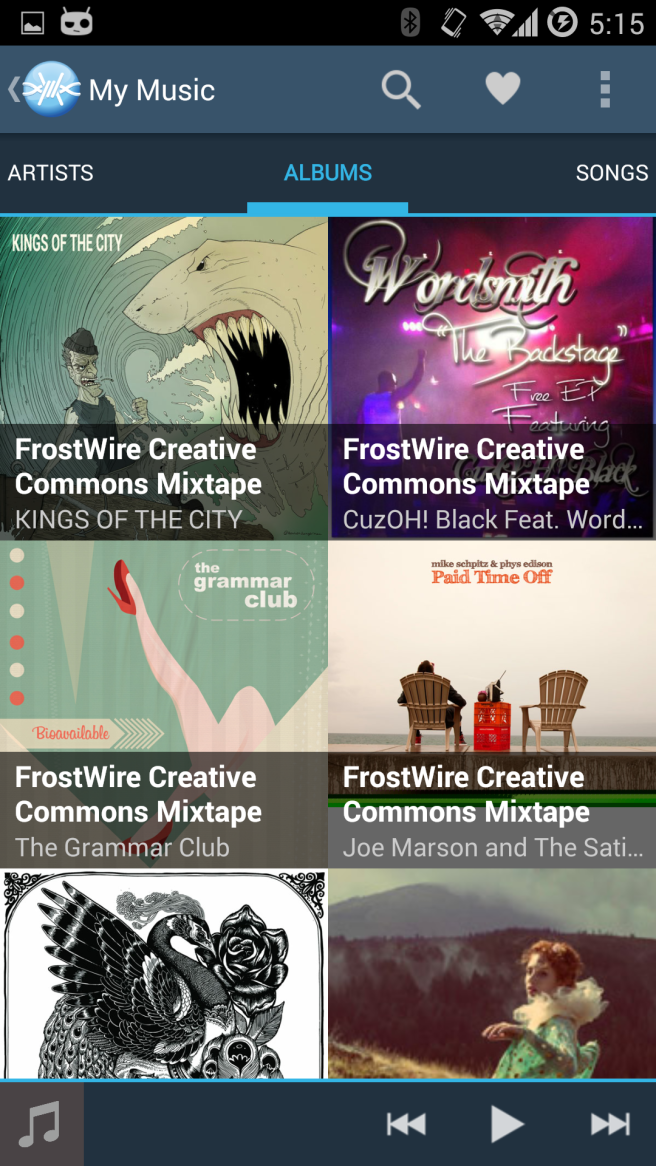
Here are some screenshots of the new music player we’ve included:
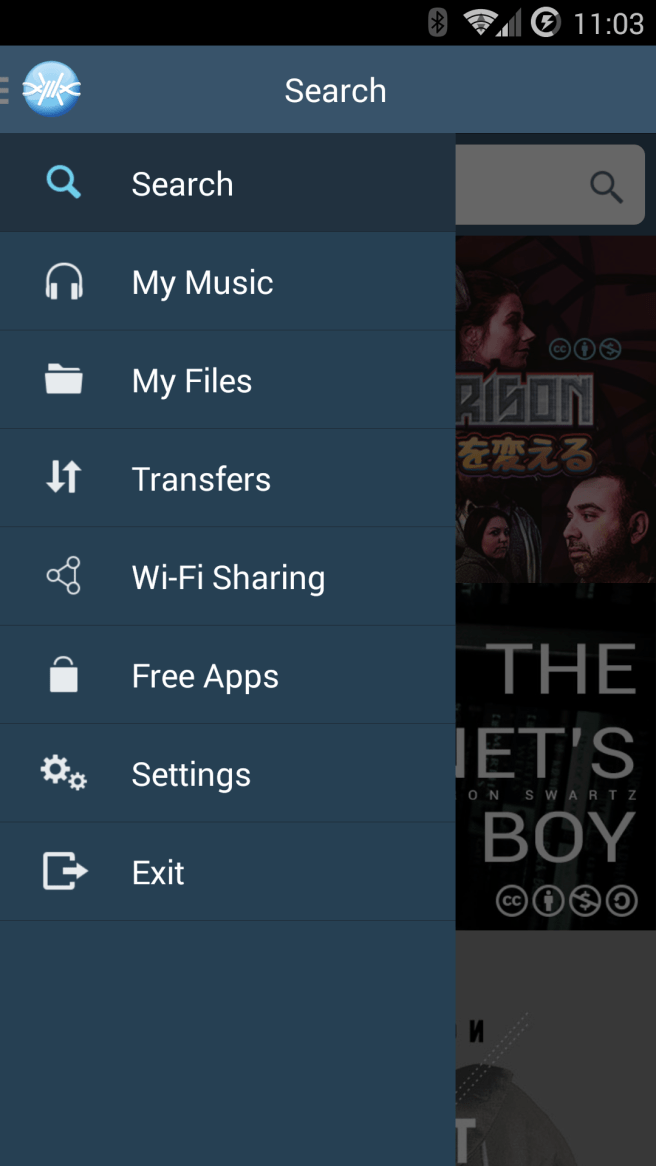
New “My Music” section on the main navigation menu.
Now you will be able to browse your music by Album, Artist, Songs, Genre and you will be able to organize your music in Android music Playlists, which should be available on other music player apps, so if you already had some playlists on your android you’ll be able to play them and manage them with FrostWire.
Here’s a full list of the changes on FrostWire 1.4:
FrostWire 1.4.2 - DECEMBER/22/2014

- New: Music Player (forked out of Apollo Player).

- New: Playlist support.

- New: Browse music by Recent, Artists, Albums, Songs, Genres.

- New: Change cover art on Playlists, Songs.

- New: Shuffle All music.

- Torrent/Magnet caching improvements reduce the number of DHT

requests when searching, which makes search result parsing faster

in most cases.

- When sharing files from 3rd party apps with FrostWire, the file

shared will be displayed by FrostWire as available via Wi-Fi sharing.

If the file is a .torrent the torrent transfer will start.

- Not using wifi multicast lock for energy savings.

- 'Preferences' renamed to 'Settings'

- About activity moved out of navigation menu and into Settings screen.

- Audio files can now be set as ringtones from My Files > Audio.

- Settings screen rearrangement.
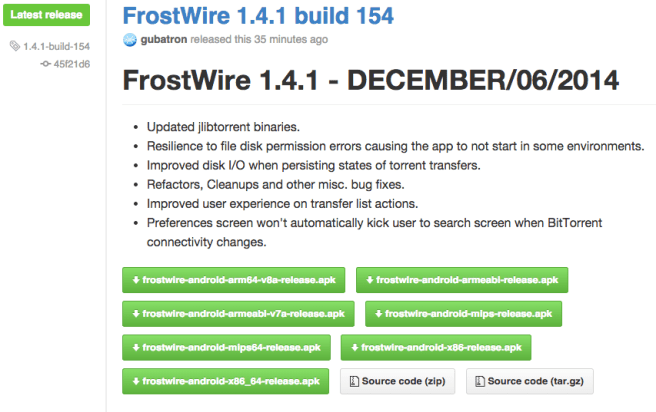
FrostWire 1.4.1 - DECEMBER/02/2014

- Updated jlibtorrent binaries.

- Resilience to file disk permission errors causing the app to

not start in some environments.

- Improved disk I/O when persisting states of torrent transfers.

- Refactors, Cleanups and other misc. bug fixes.

- Improved user experience on transfer list actions.

- Preferences screen won't automatically kick user to search screen

when BitTorrent connectivity changes.
FrostWire 1.4.0 - NOVEMBER/08/2014

- Replaced Vuze Bittorrent engine for frostwire-jlibtorrent,

a java wrapper to the native libtorrent BitTorrent library.

- Peak memory usage dropped 50% when searching.

- Peak memory usage dropped 16% when downloading torrents.

- Number of threads dropped 41% when searching.

- Number of threads dropped 60% when downloading torrents.

- Peak CPU usage dropped 66% when searching.

- Peak CPU usage dropped 44% when downloading torrents.

- Got rid of over 2,000 classes.

- New Shutdown feature, stops all services and activities,

FrostWire process ends gracefully.

- Upgraded Picasso library to 2.4.0.

- More responsive and stable torrent state handling experience.

- Torrent downloads start faster.

- Torrent downloads connect to more peers.

- Updated German translation.

- Updated Croatian translation.

- Updated Polish translation.

- Updated Spanish translation.

- Updated Russian translation.

- Gets rid of Transcommu.

- Project is now built using gradle script.

- Updated Preferences screen BitTorrent connection status button.

- Fixes severe startup crash on Samsung Galaxy Mini devices.

- Multiple bug fixes and crashes.












 Official FrostWire Blog