
How to help translate FrostWire for Desktop (Windows / Mac / Linux)

Help us translate the FrostWire user interface, be part of an open source project, learn new things.

0. Get a GitHub.com account and sign in
Go to GitHub.com and sign up for a free account unless you have one already.

1. Download and install Git on your computer
If you don’t have git installed on your computer, here are instructions on how to install.

git, is a version control software which helps us keep track of all the changes on every file that belong to the FrostWire project.
GitHub.com is a site where we host our source code and its origin git repository (the official one), think of the repository as a database to keep all those file versions.

GitHub is really helpful because it makes colaboration very social, we can comment and review each other’s changes before merging them into the origin repository.

2. Fork us on github.
Go to https://github.com/frostwire/frostwire-desktop/, this is the page for our origin repo. Forking means you will be making a copy of your own inside your github account. You will wok on that one, and when you are done you will send the changes to the origin repo.

For us by clicking on the button that says “Fork” on the top right.

Once the fork is done, you can go to your github personal page, and in the list of your repositories you should have your frostwire-desktop fork.

As of now, that copy lives only at github.com, you could try and edit the files up there, but it’s very uncomfortable working that way, the text editor can be quite slow sometimes, so …

3. Clone your forked repo to your computer
Go to a command line, or with your favorite git client make a clone of YOUR repo (not ours).
If you use the command line git client, you should issue the following command

git clone https://github.com/myusername/frostwire-desktop

wait a few seconds and all the source code and assets that belong to the frostwire-desktop project will be downloaded to a folder called “frostwire-desktop” on your computer.

change directory to it…
cd frostwire-desktop

4. Create a branch for your translation
Create a branch with a name that will help us understand that this is a translation update you’re sending us, it could be named something like
“translation-french-2013-november-myname”, so that we can easily see what language you are translating, on which date you were working on it, and your name so we can give you credit for it.

You create a branch on the git command line like this (just remember to put the name of YOUR branch instead)

Create a branch locally
git branch translation-french-2013-november-myname

Push it to your remote repository
git push origin -u translation-french-2013-november-myname

now your branch lives both on your computer and at your github repository.

Switch to that branch
git checkout translation-french-2013-november-myname

Now you’re ready to start working on your branch.

After we’ve accepted your changes, next time you want to help us do another update of the translation you will have to create a new branch.

5. Make sure the latest english strings have been put into your language.po file
enter the following command to sync strings

ant gettext-extract

(this could take a while to finish as it goes through every line of code looking for translatable strings.)

6. Translate, translate, translate
Now you get to do the actual translation. Translation files are in the following folder inside the frostwire-desktop project
cd lib/messagebundles

If you’re going to translate say to arabic, you will edit the ar.po file, it should be easy to find the language file for the language you intend to work on. We recommend that you use a PO Editor software to make things easier, and always make sure to save the file using UTF-8 encoding.

7. Test your translation
To test your translation, you will need to recreate the message bundle file, for this you will need to invoke the following command

ant gettext-bundle

assuming you didn’t mess up anything in the format of the .po file this should finish after a few minutes of bundling every language file.
If you see any errors you should try to fix them, if you don’t know how to fix them you can reach us on the FrostWire forum, or right here for help.

once the bundle is built, you need to test your translation, for this you will need to build FrostWire, you can do this in one step, from the root frostwire-desktop folder type:

ant

after a couple minutes it should be done compiling everything, and then you can invoke the “run” script right there if you’re on Linux or Mac, if you’re on windows, go to gui/ and invoke the run.bat file.

FrostWire will open, switch to your language and make sure your translations are fine.

8. Time to commit and push your changes

Once you are finished, commit your changes, make sure you don’t make changes in other files than the .po of the language you are working with.
So if you’re working say with italian, you would do (from the frostwire-desktop root directory)

git commit lib/messagebundles/it.po -m "my translation update for italian users"

and then push it to your fork up on github

git push

9. Submit a pull request

Once you see your last commit on github and you are sure you’re finished, it’s time to let us know, so you will submit what’s called a “Pull Request”.
If there are any special notes please let us know, we’ll review your changes, and if everything is good to go, we’ll merge them, and you will make open source history 🙂

New FrostWire Wynwood 5.6.2 available

Download FrostWire Wynwood 5.6.2 for Windows
Download FrostWire Wynwood 5.6.2 for Mac OSX
Download FrostWire Wynwood 5.6.2 for Ubuntu/Debian
Download FrostWire Wynwood 5.6.2 for Red Hat (RPM)
Download FrostWire Wynwood 5.6.2 Tar Gz

app_splash

changelog

frostwire (5.6.2) stable; urgency=high
* Improved readability of stream sources in player title.
* Fixed bug where media source icon for internet streams wouldn’t be shown
more than once on search result preview playback.
* UX Patch: New ‘Search’ tab acts also as a search button.
— FrostWire Team Thu, 04 Jul 2013 00:00:00 -0500

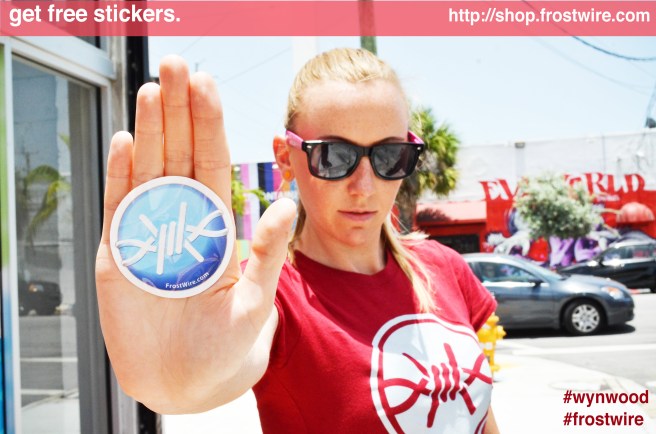
Order Free FrostWire Stickers

Order Free FrostWire Stickers

Support FrostWire by spreading the word.
Order your free stickers at http://shop.frostwire.com

Download FrostWire Wynwood 5.6 absolutely free from the official website.
http://www.frostwire.com

FrostWire 5.5.4 changelog

Free FrostWire 5.5.4 Download Now
In Geek speak, here are the full changes for FrostWire 5.5.4, released on Thursday, Feb. 21 2013.

frostwire (5.5.4) stable; urgency=high
  * New Feature: extract audio (.m4a) from (.mp4) videos on right click.
  * New Core Feature: HTTP resumeable large transfer support.
  * Upgrade: Default save folder for cloud downloads is updated without 
    restarting.
  * Upgrade: 'Repeat song' playback mode now available.
  * Upgrade: Enriched promotion display, now with audio and video previews and
    shortcuts to content creator's social media channels/streams.
  * Upgrade: binary compatibility improved for Windows releases.
  * Bug fix: if default save folder is changed it's now part of library scanned
    folders.
  * Bug fix: smart search engine wasn't notifying when it was done if there
    were no results.
  * Bug fix: several crashes and errors fixed.
  * Bug fix: partial download dialog for cloud downloads would sometimes appear
    empty.
  * Bug fix: out of memory error by UPnP-cling creating an infinite number
    of threads.
 -- FrostWire Team   Thu, 21 Feb 2013 14:38:57 -0500

FrostWire for Android is real and it gives your phone super powers #adHocMobileSocialFileSharingNetwork

This is a quick update for those of you that are not part of the Alpha Tester community on FrostWire for Android.

Don’t you think your smartphone is the most social device you own?
It was about time we could use our phones for more than talking, texting, emailing, micro-blogging, web-browsing and media creation/consumption. Your phone probably has a lot of stuff that you’ve been putting on it which could well be shared with others but never makes it out since it’s not very easy to do so.

We can’t think of any parent who has a smartphone with a high resolution camera who hasn’t taken hundreds of pictures and videos of her/his kids and doesn’t want to share with family and friends, same goes for all the party people every night, never uploading or sending hundreds of pictures to friends who would love to keep those fun memories for themselves… so many pictures and videos lost when they get a new phone or if they happen to reformat their phone’s memory. Those pictures you see on Facebook or Flickr, that’s but a fraction of all the pictures sitting on phones and cameras out there, it’ll only get worse as more and more people upgrade their cheap “dumb-phones” to smartphones.

We have this device which is probably the best representation of our real “social profile”, initially created to interact in one of the most intimate forms (voice) with our “social graph”, a device that is conveniently with us at all times, for some almost like an extension of ourselves. For some mysterious reason we can’t understand, smart-phones are crippled with inconvenience when it comes to sharing their contents with others: Slow transmission speeds (bluetooth and it’s device pairing), bad or non-existent file management tools (iPhone or Android phones don’t come with a file manager when it’s a fact your phone stores plenty of files, not everybody is dumb to understand a file manager, right?), bandwidth limitations (3g), distance limitations (bluetooth and it’s device pairing), file size limits (try attaching large files on emails), you name it, it’s almost like they don’t want you to use your phone to share files. We feel this is a great contradiction: “the most social ever device can’t easily share files“.

So we couldn’t just sit and wait for others to solve this problem and we set out to build the best file sharing app we could ever think off, An app specifically meant to run on Smart-phones, that if adopted by enough people it would instantly create one of the largest, real-time ad-hoc social networks, created by you and the people near you, no central entity peering over what you do, by the people, for the people.

No need to build profiles or sign up to anything, just open the application, connect and you’re part of a “social network” that starts with you and the files that represent who you are. If you want to put it in the hyped terms of the social media slang, it’s a real time social network where members get together for one common interest, their files.

There’s no central entity looking over your shoulder, we think human interaction is meant to occur from people to people. When you go to a cafe and start a conversation with someone you don’t tell the “barista” to record and relay all your words to a person, no intermediaries should be necessary for two people to share information.

We think our phones were initially built for that one on one communication, and now that they’re more than phones it’s about time they help some of us have social super-powers. With the chat features we believe that not only it will be a social-file-sharing app, but it’ll be a great way to break the ice if you find yourself in a place full of strangers (given the software will have mass adoption of course).

DOWN TO EARTH NOTE & PREDICTION: The social aspects of FrostWire for Android will only be truly appreciated once it’s adopted by a critical mass. In the surface it’ll feel just like a cool file sharing app, but it only takes a little imagination to think how it could be a very powerful social networking tool if over half of your city had a smartphone running it (then multiply by every city in the world). We’ll see.

Philosophical Vision aside, what did we do?

We can now say we have built the first mobile-p2p-file-sharing application in the world (please correct us otherwise if you’re already sharing files with lots of other phones, we also want to learn from competition).

Thanks to the Alpha Tester community feedback and to some inspiring technological events that occurred during the development of the application we decided to extend the sharing possibilities outside of the Local Wi-Fi network (the original concept was only for local network file sharing), now FrostWire for Android can interact with other peers via the Internet using a Wi-Fi Internet enabled connection. We think you’ll have a greater chance to serendipitously meet other FrostWire users in person if they get used to launch the application everytime they’re on a Wi-Fi internet enabled network.

When we saw that Apple launched Face-Time on the iPhone 4 and we saw that they were doing it ONLY via Wi-Fi (using standard port mapping and NAT traversal tech), and people took it like Kool-Aid (as in no revolt for lack of 3G support), we thought: “hell, we are network geeks, we can do that and better blindfolded with one hand tied to our backs”. Jokes aside (all the respect to the Cupertino coders), a couple of weeks later we had all the code for port mapping and peer rendezvous, we immediately noticed how the application usage and feedback from users surged almost exponentially . The app was more useful once you could use it over longer distances while still keeping all the core design for super fast transfers on a local level.

Currently the app is doing almost everything we intended, it allows browsing files from other peers, suggesting files (from your phone or other phone) to other peer or many (via chat-room), it allows downloading files (even large ones, tested up to 1Gb files) locally and over the internet, and it now supports pure p2p search.

We are now focusing on making sure the user experience is as convenient and natural as it can be, so expect an open beta announcement in the following weeks, and an appearance on all android markets shortly after that.

More will be revealed in time. This is only the beginning of what’s in store.

For the adventurous of heart
If you don’t mind trying software that might crash (or even break your phone) you can go ahead and install the latest alpha installer. Try it at your own risk, (If you have issues, it’s expected, it’s still alpha and we’re working on it with well over 300 testers that drill us with no compassion), the app can be highly addictive, it can be quite fun to look at other people’s shared files.

Now go! don’t be a freeloader and break your phone for the sake of freedom and privacy.

Would you donate part of your p2p bandwidth to proxy Google searches to China?

It’s come to our attention the situation between China and Google recently. A snappy business developer would probably be on standby to setup several web proxy sites to let Chinese users access Google and make money on advertisement. However, Web Proxies can also be hunted down by Chinese authorities and all of that traffic can easily be blocked as well.

This made us think that this would be an excellent use of the FrostWire P2P network, a network that virtually can’t be shutdown due to it’s decentralized nature.

FrostWire users outside China have unrestricted access to Google, FrostWire could implement a “P2P Google Search” to proxy keyword searches coming from China to Google servers and back.

It would be very hard if not impossible to filter this traffic which could come from nameless ip addresses from all over the world. Even if they would ban frostwire.com in China to avoid the installation of our client in China, Chinese users could still download FrostWire from thousands of mirrors and from the p2p network itself.

If the Chinese government were to completely ban all DNS requests to all Google domains, would you be willing to donate a part of your FrostWire P2P bandwidth to proxy Google Search Requests?

Hopefully China and Google will be able to resolve their issues and this won’t be necessary, but options will exist to keep offering a free internet to everybody in the planet.

About FrostWire
FrostWire is a peer-to-peer file sharing program for the Gnutella and BitTorrent protocols. FrostWire is written in Java, and is a fork of LimeWire, another popular Gnutella client from which it was originally born. Released under the GNU General Public License, FrostWire is free software.

FrostWire’s BitTorrent engine is powered by Vuze (Azureus) Technology

Tip: Block Spammers

If you are getting to many fake results, maybe you need to block a bunch of nasty hosts out there and use the “Mark as Junk” feature a little bit more. Here’s an updated list of Blocked IPs.

STEP 1
With a text editor open “frostwire.props”

Windows users:

%APPDATA%\FrostWire\frostwire.props

Mac Users:

~/Library/Preferences/FrostWire/frostwire.props

Linux Users:

~/.frostwire/frostwire.props

STEP 2
Look for “BLACK_LISTED_IP_ADDRESSES”, if you can’t find it, just paste the following list. If you already got some in there, copy the list of IPs and append at the end of your existing list (right after putting a “;” at the end of your existing list). It should all end up on a single line (no \n)

BLACK_LISTED_IP_ADDRESSES=64.46.32.0/19;24.44.237.*;82.69.119.*;70.15.80.0/21;204.11.216.0/21;64.210.192.*;201.13.65.*;70.47.0.0/16;207.99.0.0/17;216.17.104.0/21;24.15.205.*;83.22.155.*;64.231.202.*;96.194.45.91;142.164.*.*;207.248.32.0/20;88.102.6.*;66.254.96.0/19;68.188.91.*;213.121.151.*;149.76.162.*;68.59.87.*;24.63.26.*;87.117.192.0/18;68.80.186.*;122.2.58.*;69.44.158.*;65.206.51.*;85.0.88.*;208.100.0.0/18;160.10.7.*;216.139.208.0/20;206.48.0.*;149.254.192.*;62.101.124.0/22;75.111.128.*;209.51.160.0/19;61.63.32.0/19;24.138.128.0/18;216.240.128.0/19;212.76.37.*;76.177.26.*;67.193.47.*;88.63.219.*;67.15.66.*;81.152.16.*;69.44.156.*;66.225.168.*;91.34.191.*;46.46.*.*;200.77.161.*;85.92.156.0/22;206.223.156.*;207.150.176.0/20;82.109.207.*;216.151.63.*;141.117.28.*;89.244.230.*;24.62.58.*;72.16.216.*;217.75.4.*;142.177.136.0/22;66.28.207.*;72.24.250.*;71.87.71.*;153.5.20.*;66.203.189.*;8.17.1.*;24.36.141.*;72.236.184.*;74.208.0.0/18;64.124.0.0/15;66.135.32.0/19;174.36.163.21;205.209.128.0/18;75.42.28.208/29;121.91.91.*;209.237.224.0/22;63.216.0.0/13;87.236.192.0/21;216.166.159.*;142.177.156.*;152.9.102.*;72.13.143.*;130.192.157.*;144.26.129.*;68.37.42.*;216.211.73.*;196.207.45.*;72.158.46.*;68.149.65.*;70.69.180.*;209.67.0.*;24.90.134.*;67.81.145.*;82.148.111.*;72.159.145.*;24.57.54.*;142.166.0.0/15;208.107.164.*;206.161.0.0/16;216.219.96.*;58.13.92.0/22;206.108.253.*;78.63.137.*;85.88.2.*;81.110.162.*;161.31.240.*;83.78.155.*;90.200.66.*;83.79.188.*;216.171.176.0/20;24.117.29.*;78.129.137.*;69.41.160.0/19;68.51.86.*;76.76.0.0/20;219.17.82.*;67.183.178.*;158.103.0.*;142.177.231.*;75.209.52.0/22;216.66.0.0/18;69.44.157.*;72.39.51.*;194.126.193.*;121.156.65.*;187.22.19.31;54.28.106.216;201.8.117.*;206.222.0.0/19;66.232.96.0/19;204.111.*.*;206.71.56.*;68.178.128.0/17;207.134.9.*;64.27.0.0/19;65.56.0.0/14;76.98.150.*;201.58.164.*;89.244.221.*;65.206.55.*;75.63.77.*;203.87.184.0/22;196.40.10.*;67.172.29.*;24.231.64.0/19;216.118.64.0/18;209.87.248.*;208.0.231.*;81.23.40.0/20;78.111.64.0/20;128.108.*.*;82.37.91.*;98.142.216.129;79.13.68.*;206.169.230.*;64.89.27.*;216.7.80.0/20;71.214.186.*;98.142.216.132;134.129.*.*;98.142.216.136;207.189.232.*;66.160.128.0/18;75.164.67.*;196.207.32.*;61.129.251.*;60.190.222.0/23;62.90.172.0/22;80.218.228.44;98.142.216.137;69.90.242.*;64.5.64.0/18;86.127.221.*;70.44.88.*;74.254.71.*;208.53.128.0/18;64.62.128.0/17;200.140.63.*;213.156.52.*;193.120.116.*;74.195.51.*;72.63.47.*;74.139.162.0/23;209.190.0.0/17;65.39.185.*;207.7.135.*;161.31.226.*;201.86.254.*;199.120.31.*;76.25.126.*;74.60.79.*;98.142.216.144;216.232.244.*;67.55.64.0/18;65.171.151.*;66.246.248.*;66.211.0.0/20;204.8.32.0/22;208.54.240.0/20;216.158.128.0/19;67.163.243.*;98.142.216.159;82.80.4.*;81.190.139.*;205.129.164.*;24.80.116.*;61.211.131.*;66.115.128.*;121.1.52.0/20;208.99.192.0/19;71.238.152.*;144.80.248.*;89.246.0.0/18;121.3.31.*;69.10.128.0/19;65.19.128.0/18;201.150.79.*;142.162.*.*;98.142.216.152;64.61.25.192/26;70.71.160.91;208.115.234.*;72.9.109.*;205.177.186.*;144.80.132.*;208.109.*.*;69.146.145.*;60.190.220.0/23;72.9.108.*;216.255.176.0/20;82.79.63.*;61.224.228.*;66.90.64.0/18;71.95.242.143;155.47.149.*;98.142.216.163;219.107.128.*;98.142.216.165;156.34.27.*;64.208.0.0/16;66.195.171.*;72.172.88.0/22;66.30.80.*;69.64.64.0/19;83.110.232.*;65.49.0.0/18;68.180.0.0/22;69.50.160.0/19;75.74.83.*;129.47.128.0/17;64.93.89.*;64.21.0.0/17;65.72.0.0/16;209.217.223.*;216.104.224.*;142.177.185.0/21;201.9.120.*;72.36.128.0/17;85.17.155.*;213.22.162.*;84.130.118.*;69.44.155.*;64.111.192.0/19;66.207.254.*;216.25.44.*;64.61.25.160/29;61.129.70.*;60.254.213.*;156.34.240.0/22;209.115.255.*;64.234.98.5;12.1.42.0/23;71.6.128.0/17;63.243.181.*;213.47.248.0/22;69.85.192.0/18;84.181.212.*;76.166.215.*;216.130.64.0/19;216.231.162.*;69.42.128.0/19;78.129.136.*;85.88.9.*;209.237.240.0/20;216.7.183.*;69.248.209.*;208.122.192.0/19;222.73.192.0/18;24.100.7.249;201.95.128.*;205.177.0.0/16;209.59.110.*;64.203.191.*;210.132.220.*;209.143.224.*;64.56.64.0/21;69.119.111.*;205.139.208.0/22;206.75.43.*;69.72.161.*;90.193.8.*;74.63.64.0/19;83.20.112.*;68.96.101.*;66.199.176.0/23;82.83.208.*;69.87.230.*;70.84.0.0/14;83.148.8.*;208.9.112.0/21;167.216.232.*;71.120.54.*;65.120.42.*;205.211.145.*;206.132.32.0/20;208.101.0.0/18;85.124.173.*;24.94.7.*;64.93.88.*;24.114.252.*;72.35.224.0/20;209.160.35.*;216.218.128.0/17;93.114.253.248;208.50.0.*;65.16.61.*;9.88.78.245;201.9.128.0/17;84.10.36.*;66.79.160.0/19;200.210.234.*;216.166.216.*;130.49.116.251;90.240.187.206;67.56.0.0/15;24.213.149.*;64.25.180.*;216.159.201.*;69.248.198.*;79.184.7.*;66.193.224.*;67.202.64.0/19;209.160.32.*;67.159.0.0/18;81.76.91.*;63.79.245.*;216.66.64.0/19;66.220.0.0/19;216.205.217.*;83.142.224.0/21;64.210.144.*;130.117.*.*;71.68.34.*;206.132.0.0/19;61.129.51.*;68.42.176.*;58.168.29.*;220.239.43.*;212.25.103.*;24.227.222.*;99.35.18.113;213.167.96.*;216.169.96.0/19;63.243.162.*;64.61.25.72/28;75.126.*.*;63.47.128.*;89.244.240.*;24.65.77.*;125.0.0.0/15;66.28.203.*;66.171.74.0/23;24.10.160.*;208.71.114.*;209.237.232.0/22;91.189.104.0/21;209.172.60.*;8.133.69.*;71.199.250.*;74.13.181.*;72.93.75.140;24.76.95.*;216.17.100.0/22;206.132.48.0/20;66.103.32.0/19;66.11.112.0/20;66.71.219.*;209.123.0.0/16;69.9.160.0/19;85.17.0.0/16;91.34.192.0/18;69.59.16.0/20;72.11.143.*;67.196.0.0/16;24.128.176.*;82.208.40.0/22;85.18.*.*;62.219.79.*;122.22.36.*;195.226.227.*;72.231.234.*;64.93.90.*;68.114.198.*;74.194.71.*;124.24.230.0/23;213.162.67.*;87.106.63.*;38.0.0.0/8;75.111.97.*;64.71.128.0/18;200.119.217.*;204.9.117.*;204.9.118.*;74.216.0.0/16;67.167.179.*;66.29.0.0/17;4.43.119.*;70.118.92.70;78.129.128.0/17;125.205.100.0/22;77.78.96.*;66.212.224.0/19;64.61.25.176/28;200.7.33.*;211.1.193.*;24.144.140.*;208.98.0.0/18;75.73.30.*;8.3.218.*;64.21.128.0/18;205.146.0.0/16;24.141.186.*;206.169.225.*;72.51.32.0/20;205.252.0.0/16;212.179.18.*;221.117.233.*;210.199.86.*;209.8.0.0/15;147.197.190.*;65.98.0.0/17;213.52.227.*;67.191.31.*;72.40.107.*;66.160.158.*;61.63.51.*;76.93.75.0;207.176.0.0/17;81.208.64.0/18;72.52.64.0/18;58.194.237.*;216.221.96.*;88.86.109.*;253.58.185.248;206.225.103.*;216.230.150.*;217.75.112.0/20;74.79.242.*;142.177.239.0/22;66.199.224.0/19;64.72.112.0/21;125.2.0.0/15;72.11.128.0/19;64.20.32.0/19;61.63.251.*;205.144.218.*;216.229.193.*;64.210.63.*;72.22.192.0/20;189.13.147.*;83.88.208.*;69.72.168.*;77.97.212.*;121.54.64.0/22;12.197.253.*;216.37.237.*;203.84.170.*;74.43.221.*;81.152.104.*;24.57.23.*;216.28.31.*;85.176.128.0/18;83.23.173.*;168.215.140.0/23;213.254.232.0/22;189.5.160.*;209.145.88.*;131.162.153.*;121.119.182.*;216.139.224.0/19;208.63.90.*;209.195.128.0/18;74.52.0.0/15;168.215.129.*;68.3.168.*;216.84.49.*;209.97.192.0/19;88.104.63.*;207.226.0.0/16;85.17.19.*;70.118.90.7;209.163.218.*;66.212.128.0/19;66.250.46.*;201.83.118.*;142.163.*.*;131.104.*.*;212.179.133.*;66.154.96.0/19;70.49.239.*;24.1.175.*;66.246.0.0/16;216.151.128.0/19;69.66.252.*;58.88.42.*;24.31.205.*;125.1.108.*;213.140.0.0/19;66.240.192.0/18;64.61.25.128/29;203.87.176.*;85.176.110.*;216.46.133.*;218.223.197.*;70.99.*.*;211.1.219.*;74.220.173.*;206.188.129.*;8.17.0.*;216.86.144.0/20;70.247.148.*;64.89.16.*;71.188.255.157;202.208.32.0/19;85.214.0.0/15;72.16.214.*;66.155.211.*;63.100.44.*;209.200.0.0/18;208.101.82.*;85.92.158.*;63.138.0./15;63.246.128.0/19;208.99.64.0/20;209.205.246.*;83.79.152.*;216.130.176.0/20;92.48.64.0/18;71.60.61.*;60.12.182.*;208.122.0.0/18;125.0.151.*;125.60.192.0/18;204.13.55.*;195.242.153.*;139.78.10.*;81.23.48.0/20;83.133.126.*;64.89.41.*;74.54.0.0/16;24.85.45.*;206.169.170.*;204.52.215.*;66.109.16.0/20;72.22.0.0/19;74.110.99.*;64.40.96.0/19;222.6.170.147;217.171.128.0/23;206.51.230.*;64.72.120.0/21;121.54.0.0/22;212.120.109.*;203.111.232.0/21;64.251.0.0/19;66.128.227.*;64.247.0.0/18;72.172.64.0/19;64.34.*.*;76.74.128.0/17;69.46.0.0/19;71.240.88.*;72.51.192.*;84.40.30.*;216.144.64.*;189.13.36.0/22;24.172.68.*;64.210.128.0/19;24.229.179.*;86.107.221.*;216.167.153.*;208.116.0.0/18;24.63.186.*;216.105.184.0/22;72.0.105.*;207.106.123.*;216.69.164.0/22;66.160.192.0/20;64.209.0.0/17;66.194.155.*;12.202.0.0/17;67.18.0.0/15;24.127.151.*;216.177.64.*;72.242.239.*;189.4.183.*;76.19.83.*;66.165.205.*;66.118.242.*;74.222.0.0/20;203.87.192.0/20;72.11.48.0/20;142.204.87.*;206.193.224.0/20;79.185.105.*;66.37.48.0/20;216.150.79.*;66.27.148.182;68.99.1.*;209.205.247.*;85.12.46.*;68.231.63.*;204.10.88.0/21;74.60.158.*;24.106.140.*;64.61.25.0/25;142.177.90.*;84.40.205.*;66.63.160.0/19;82.78.245.*;189.18.116.0/22;81.169.128.0/20;12.197.204.*;121.117.77.*;64.92.224.0/20;64.59.64.0/18;138.243.245.*;83.133.127.*;58.188.13.*;68.32.23.*;41.221.16.0/20;72.167.0.0/16;124.97.37.*;85.176.63.*;64.37.192.*;209.203.99.*;69.42.64.0/19;68.81.82.93

The next version FrostWire will update this list automatically for you, for now, you’ll have to hack away a little bit your frostwire.props file and restart FrostWire.

Photography licensed under Creative Commons by ianlloyd