
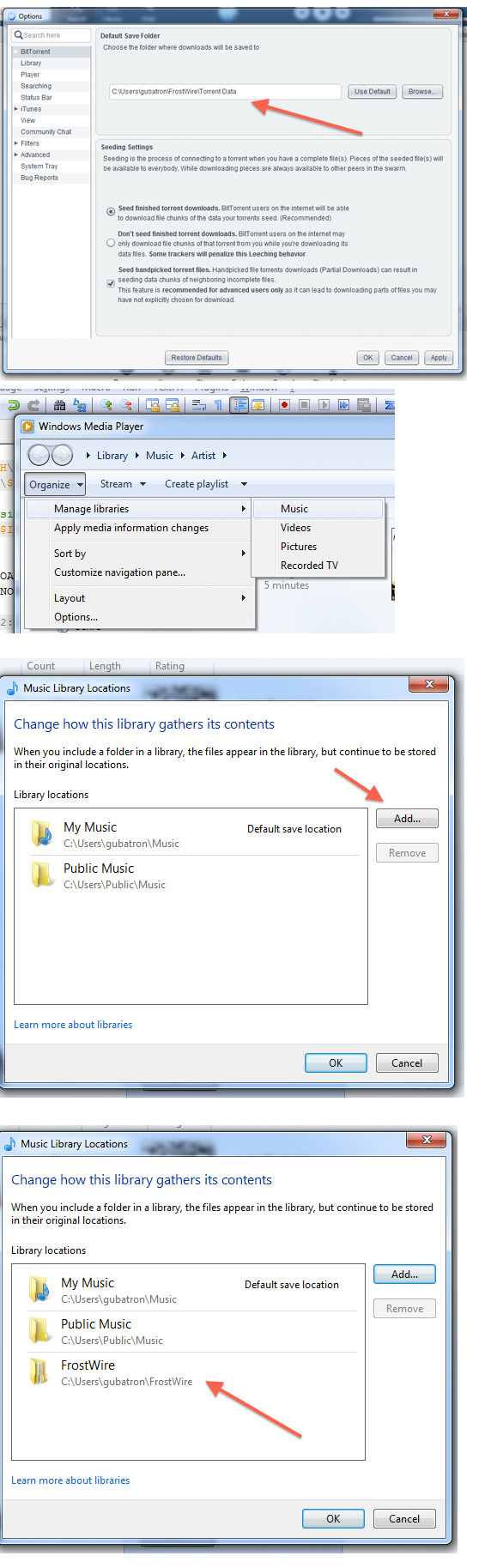
On Windows Media Player go to:
Organize > Manage Libraries > Music
In the “Music Library Locations” dialog, if you don’t see the FrostWire Default Save Folder location, click on the “Add…” button to locate the folder.
Press the “OK” button to save the changes and dismiss the dialog.
After Windows Media Player has finished scanning the FrostWire Default Save Folder you will be able to play the files from Windows Media Player, add them to playlists or burn them into CDs.
Here’s a few screenshots of the process
 Official FrostWire Blog
One thought on “How to configure Windows Media Player to scan the FrostWire Default Save Folder”