

FrostWire Plus for Android 1.6.7 lets you select a custom storage for your FrostWire downloads. Today we’re going to explain to you how to do that. It’s very easy!
-
Open FrostWire Plus

-
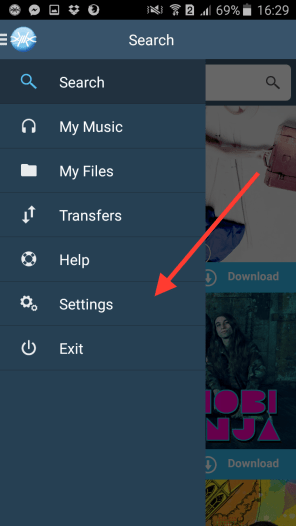
Go to Settings
-
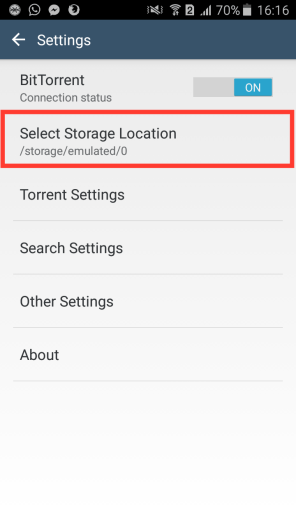
Click on Select Storage Location
-
Select a storage

-
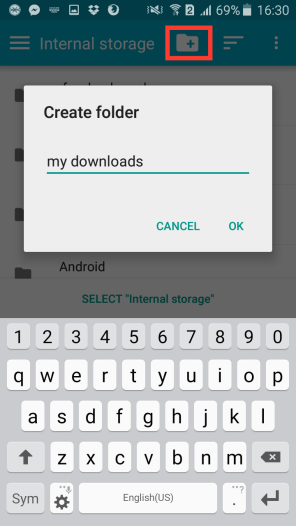
Create a folder
-
Click on Select

-
Done!

-
Now you’re going to have a custom folder with all your downloads

Bonus tip
-
You can hide/show SD card or hide/show file size


Do you need more help? Write a comment on this post and we’ll help you!
 Official FrostWire Blog