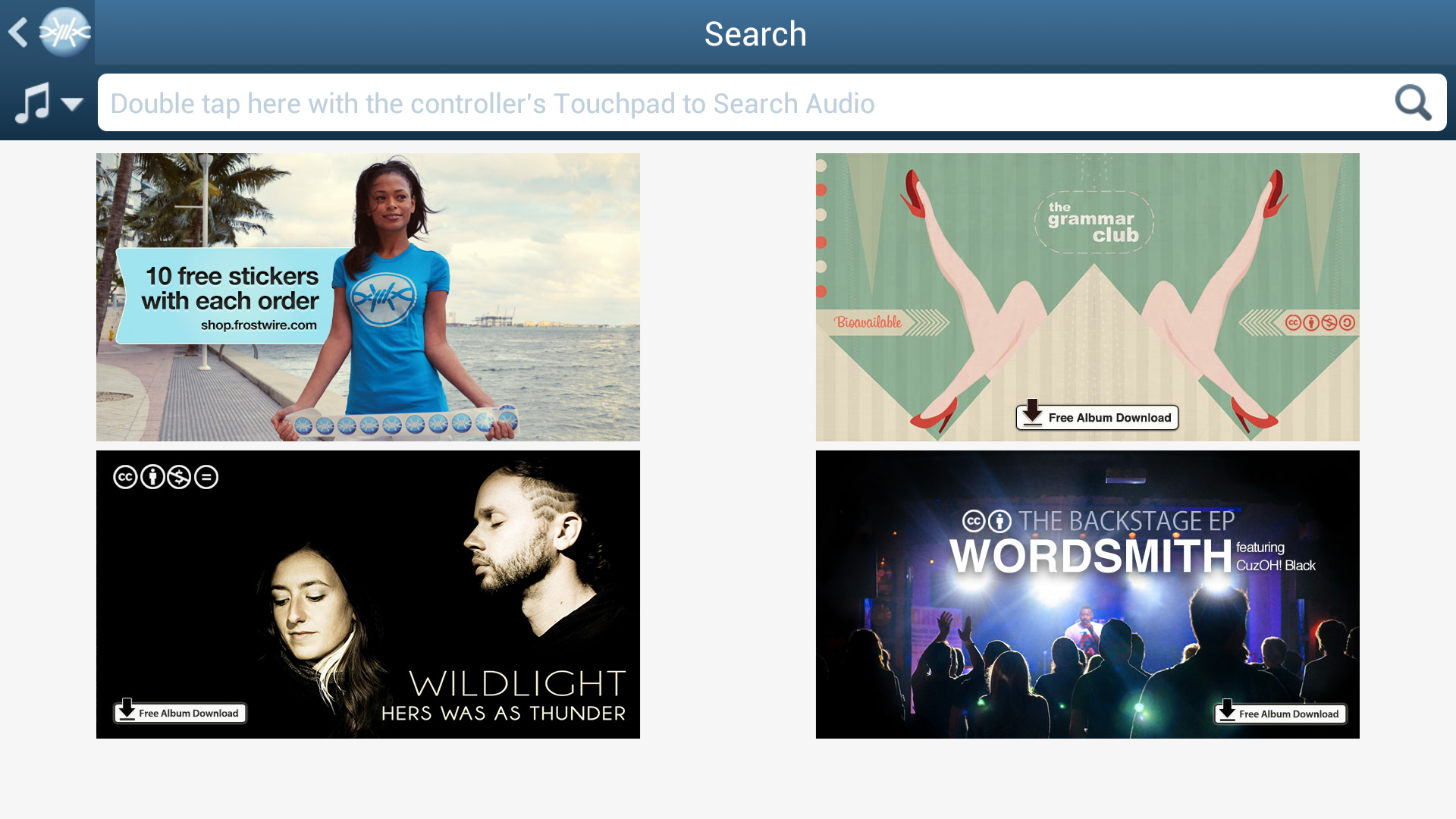
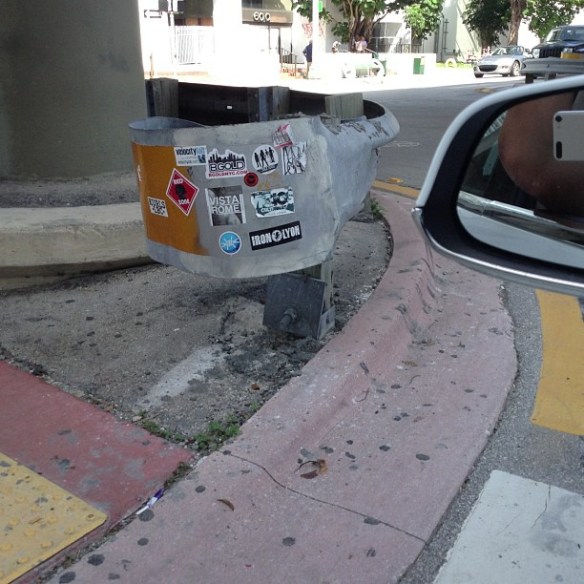
#FrostWire on #OUYA #screenshot

We wanted to announce that we’re about to submit our latest version of FrostWire for Android to the OUYA developer portal!

If you are a OUYA console owner, this will be very different from a game, there’s still a lot to improve in terms of the feel and the controller and we’re probably going to be one of the few apps you’ve tried where you’ll notice that your OUYA controller has a touchpad.

Let’s keep our fingers crossed and hopefully we’ll be accepted this very week and sharing files from your living room between your OUYA, your android phone/tablet and your PC via FrostWire.

9762bcec2e0811e3a55722000ab5b8c7_8

The OUYA (/ˈuːjə/ oo-yə) is a microconsole running its own version of the Android operating system, developed by Boxer8. Julie Uhrman founded the project in 2012. She brought in designer Yves Béhar to collaborate on the design of the project, and Muffi Ghadiali as product manager to put together the engineering team. Development was funded via Kickstarter, raising $8.5 million and becoming the website’s second-highest-earning project in its history.

How to help translate FrostWire for Desktop (Windows / Mac / Linux)

Help us translate the FrostWire user interface, be part of an open source project, learn new things.

0. Get a GitHub.com account and sign in
Go to GitHub.com and sign up for a free account unless you have one already.

1. Download and install Git on your computer
If you don’t have git installed on your computer, here are instructions on how to install.

git, is a version control software which helps us keep track of all the changes on every file that belong to the FrostWire project.
GitHub.com is a site where we host our source code and its origin git repository (the official one), think of the repository as a database to keep all those file versions.

GitHub is really helpful because it makes colaboration very social, we can comment and review each other’s changes before merging them into the origin repository.

2. Fork us on github.
Go to https://github.com/frostwire/frostwire-desktop/, this is the page for our origin repo. Forking means you will be making a copy of your own inside your github account. You will wok on that one, and when you are done you will send the changes to the origin repo.

For us by clicking on the button that says “Fork” on the top right.

Once the fork is done, you can go to your github personal page, and in the list of your repositories you should have your frostwire-desktop fork.

As of now, that copy lives only at github.com, you could try and edit the files up there, but it’s very uncomfortable working that way, the text editor can be quite slow sometimes, so …

3. Clone your forked repo to your computer
Go to a command line, or with your favorite git client make a clone of YOUR repo (not ours).
If you use the command line git client, you should issue the following command

git clone https://github.com/myusername/frostwire-desktop

wait a few seconds and all the source code and assets that belong to the frostwire-desktop project will be downloaded to a folder called “frostwire-desktop” on your computer.

change directory to it…
cd frostwire-desktop

4. Create a branch for your translation
Create a branch with a name that will help us understand that this is a translation update you’re sending us, it could be named something like
“translation-french-2013-november-myname”, so that we can easily see what language you are translating, on which date you were working on it, and your name so we can give you credit for it.

You create a branch on the git command line like this (just remember to put the name of YOUR branch instead)

Create a branch locally
git branch translation-french-2013-november-myname

Push it to your remote repository
git push origin -u translation-french-2013-november-myname

now your branch lives both on your computer and at your github repository.

Switch to that branch
git checkout translation-french-2013-november-myname

Now you’re ready to start working on your branch.

After we’ve accepted your changes, next time you want to help us do another update of the translation you will have to create a new branch.

5. Make sure the latest english strings have been put into your language.po file
enter the following command to sync strings

ant gettext-extract

(this could take a while to finish as it goes through every line of code looking for translatable strings.)

6. Translate, translate, translate
Now you get to do the actual translation. Translation files are in the following folder inside the frostwire-desktop project
cd lib/messagebundles

If you’re going to translate say to arabic, you will edit the ar.po file, it should be easy to find the language file for the language you intend to work on. We recommend that you use a PO Editor software to make things easier, and always make sure to save the file using UTF-8 encoding.

7. Test your translation
To test your translation, you will need to recreate the message bundle file, for this you will need to invoke the following command

ant gettext-bundle

assuming you didn’t mess up anything in the format of the .po file this should finish after a few minutes of bundling every language file.
If you see any errors you should try to fix them, if you don’t know how to fix them you can reach us on the FrostWire forum, or right here for help.

once the bundle is built, you need to test your translation, for this you will need to build FrostWire, you can do this in one step, from the root frostwire-desktop folder type:

ant

after a couple minutes it should be done compiling everything, and then you can invoke the “run” script right there if you’re on Linux or Mac, if you’re on windows, go to gui/ and invoke the run.bat file.

FrostWire will open, switch to your language and make sure your translations are fine.

8. Time to commit and push your changes

Once you are finished, commit your changes, make sure you don’t make changes in other files than the .po of the language you are working with.
So if you’re working say with italian, you would do (from the frostwire-desktop root directory)

git commit lib/messagebundles/it.po -m "my translation update for italian users"

and then push it to your fork up on github

git push

9. Submit a pull request

Once you see your last commit on github and you are sure you’re finished, it’s time to let us know, so you will submit what’s called a “Pull Request”.
If there are any special notes please let us know, we’ll review your changes, and if everything is good to go, we’ll merge them, and you will make open source history 🙂

Zwodnik.com awards us as “The Best Free (Linux) Software”

Image

“Hi there,

I am happy to inform you that your software “FrostWire” has been added to the Zwodnik.com and awarded as “The Best Free Software”.
Regards,
Staszek Gaska”

New FrostWire 5.6.5 out

Free Download

e9565fac1d6111e393ab22000a9f1919_7

We’ve fixed a real nasty bug that will affect many of you who like to select multiple files from the same set of search results when those files happen to belong to the same torrent.

We’ve also updated our SoundCloud meta search and integrated fully to the new SoundCloud.com’s search interface.
If you are a musician and you have a SoundCloud account, remember that if you mark your songs as “Downloadable” they will become available to the millions of FrostWire users worldwide, both on desktop and mobile.

Here’s the full changelog for 5.6.5, we highly recommend you upgrade to 5.6.5, as always FrostWire gets better with each release.

Changelog

frostwire (5.6.5) stable; urgency=high
* Upgrades Soundcloud search, download, streaming.
* Fixes issue when starting downloads made of multiple single files
that belong to the same .torrent.
* When opening finished transfers on the library with a double click
FrostWire will no longer type the name of the file on the library
search box.
— FrostWire Team Mon, 23 Sep 2013 14:53:53 -0500

How to fully stop music playback on FrostWire for Android (VIDEO)

You can use the menu entry on the top right of the music player > Stop.

Or you can Long press the Play/Pause button and the audio playback will completely stop and memory will be freed.

Follow @FrostWire on Twitter

FrostWire in Sao Paulo

sao-paulo

FrostWire is getting a lot of love from Brazilian users, thanks so much for spreading the word.
Our latest release gives some love back with an updated Portuguese translation, hope you’re enjoying, remember that you too can participate and submit translation fixes if you find any errors.

FrostWire in Cordoba, Argentina

FrostWire in Cordoba, Argentina

Cheers Argentina, we love you, and we’ve done an update of our spanish translation which is now available on FrostWire 5.6.4.

What city should we graffiti next?

New FrostWire 5.6.4

Download FrostWire Now, absolutely Free

e9cbdf0c074f11e3b6fb22000aeb121f_7

Full Changelog for this release

frostwire (5.6.4) stable; urgency=high
* Fixes issues parsing some cloud urls.
* Fixes issues with soundcloud meta search.
* Spanish translation updated.
* French translation updated. Thanks @jeromemorignot.
* Portuguese translation updated. Thanks @tati110.
* Brazilian Portuguese translation updated. Thanks @tati110.
* Arabic translation updated. Thanks @nisrmasr.
* Turkish translation updated. Thanks @Serrae.
— FrostWire Team Tue, 03 Sep 2013 14:49:33 -0500

New FrostWire for Android 1.1.2 out

Download Now

A new FrostWire for Android is out, it fixes multiple crashes and uses several megabytes less of memory, it should perform better than ever, users with older Android models should feel the improvement. Issues with soundcloud search have been fixed. New user interface elements regarding Wi-Fi sharing. Now you can fully stop the audio player by long pressing on the pause button.

The Beautiful Kellee Maize representing FrostWire with a FrostWire Tee

Final Changelog

FrostWire 1.1.2 – SEP/03/2013
– Removed offers during installation to comply with new Google Play guidelines.
– New: Stop music playback completely by long pressing the play/pause button.
– New: Audio Player menu now has “Delete this track” feature, get rid of songs
you don’t like on your device next time you come across them and keep playing.
– New: Turn on/off wifi sharing from Wi-Fi sharing screen. Turning off Wi-Fi
sharing results in considerable battery savings since the radio is not being
used constantly to discover and announce to other peers on the local network.
– Sources on search results are now underlined to hint user of sourc checking feature.
– Fixes issues parsing some YouTube urls.
– Fixes soundcloud search.
– Improved memory usage and multiple memory leaks fixes will avoid a multiple
number of crashes due to out of memory errors, specially on older devices
with limited memory availability.
– Fixes issue with double memory allocation related to
first creen’s grid view.
– Fixed some memory leaks related to picasso bitmap
allocations.

Want a Tee like Kellee’s?, support free software