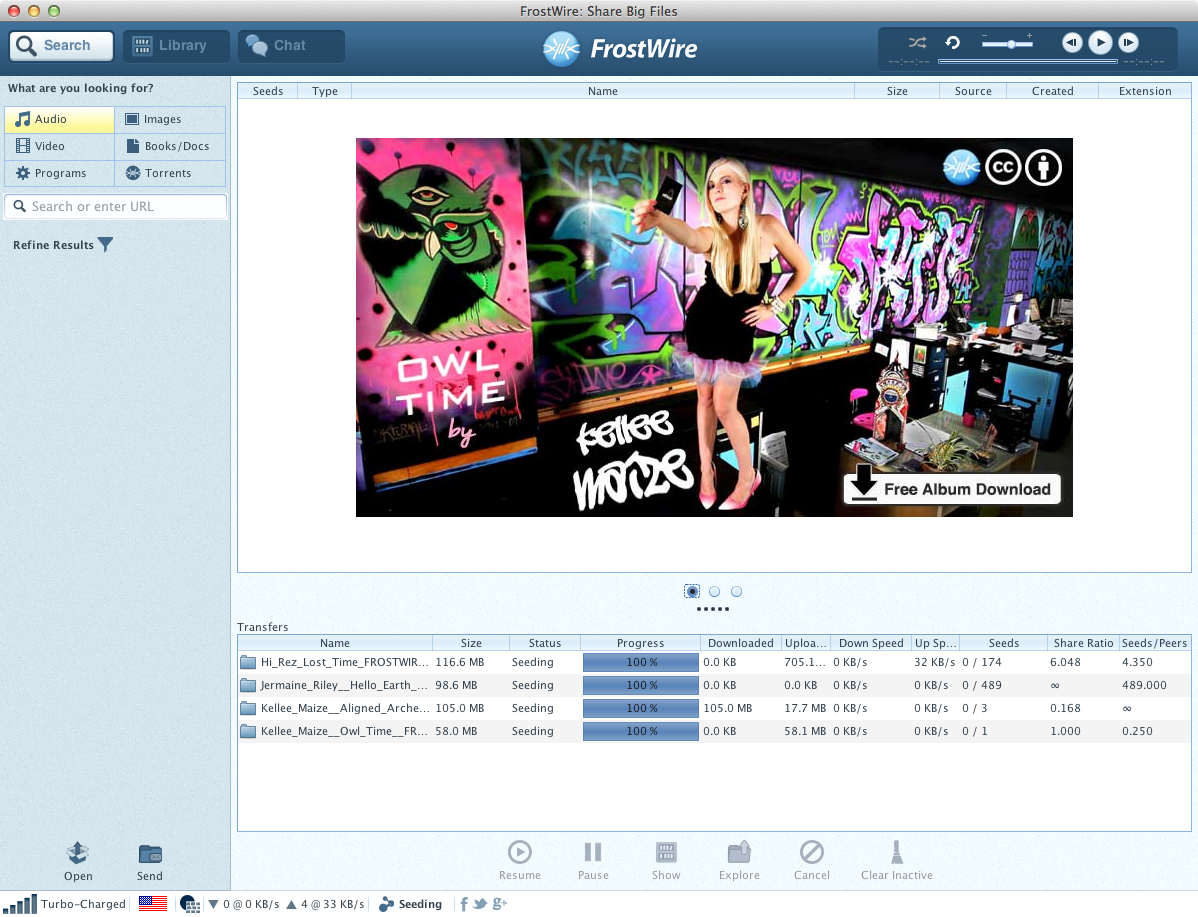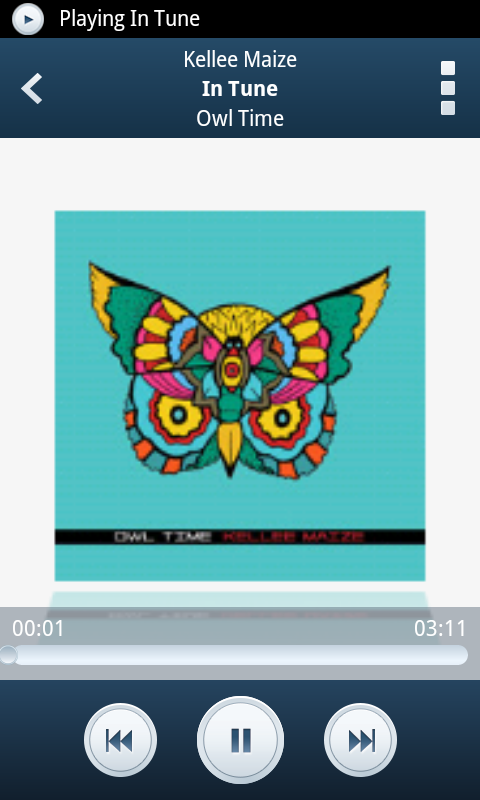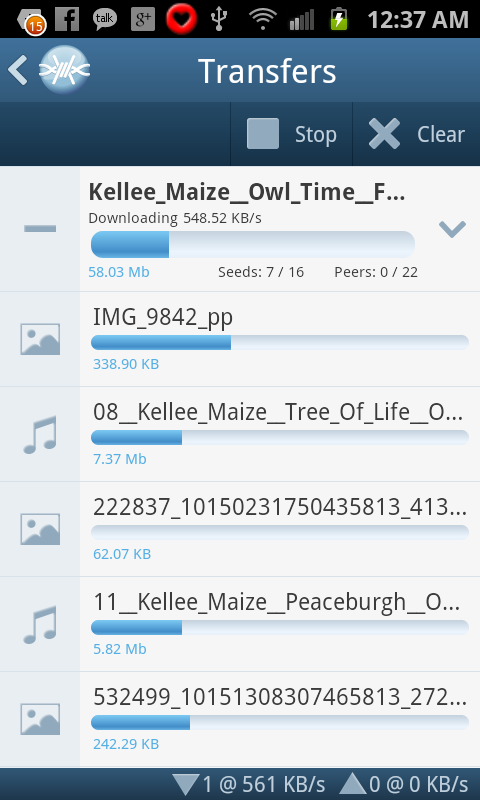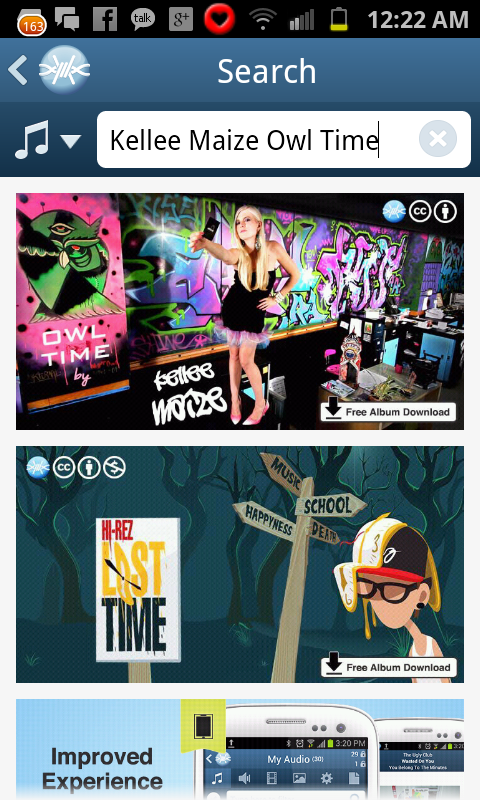
Kellee Maize releases “Owl Time” exclusively on FrostWire under a Creative Commons license

Download Now With FrostWire

Kellee Maize and FrostWire have collaborated for the third time, in this occasion Kellee has given FrostWire the exclusive opportunity to bring you her new album “Owl Time” today 12/12/12.

If you want to know more about the album don’t miss the album review on FrostClick

Kellee Maize has licensed this album with the most permissive Creative Commons license available, giving you permission in advance to Download, Share, Remix and even use her music commercially.

Below some images of “Owl Time” on FrostWire, 

Image

ImageImageImage 

Download the New FrostWire 5.5.1 and make your CPU happy

Download FrostWire Now

DOWNLOAD NOW, it’s free.

Got stickers yet?
TAG and let let others know there’s a near by FrostWire Wi-Fi sharing area.

What we fixed on 5.5.1:

frostwire (5.5.1) stable; urgency=high
  * New Clear Inactive button on transfers.
  * New setting to use the default system media player instead of
    FrostWire's.
  * New Download Cloud URLs, Torrents and Magnets by entering
    urls on the search field.
  * New toggle full screen video playback with double click.
  * Enhancement: Library file tables now show file modified date field and
    files are sorted by it in descending order so user can easily find
    newest files added to the library.
  * Enhancement: Playlist tables now show the track number column and
    are by default sorted by it in ascending order to enjoy
    albums in the order they were meant to be heard by the content
    creators.
  * Enhancement: mime type guessing is faster when sharing files on Wi-Fi
  * Bug fix: Library was getting confused with file extensions as part of file names.
  * Bug fix: sharing/unsharing popup menu behavior while sharing on Wi-Fi
  * Bug fix: resizing issues on preview download dialogs.
  * Bug fix: filtering on torrent detail dialog was broken.
  * Bug fix: Library continuous playback working from play button.
  * Bug fix: Cloud download error fixed.
  * Bug fix: Media lib unicode issue.

 -- FrostWire Team   Mon, 10 Dec 2012 20:00:00 -0500

Mac Users on OSX 10.6, 10.7 here’s a hotfix installer for FrostWire 5.5.0

If you can’t play any audio or video, it’s because of a bug on the fwplayer_osx binary that occurs on older versions of MacOSX.

Here’s a build that addresses the issue while we release 5.5.1:

Download 5.5.0 hotfix release for MacOSX
http://dl.frostwire.com/frostwire/5-beta/frostwire-5.5.0.player_hotfix.dmg

5.5.1 will feature:
– A new setting so that you can use the system’s default player instead of the FrostWire player.
– A fix on the Torrent detail dialog where filtering is not working.

Attention: Ubuntu, Debian, Mint repo maintainers – FrostWire 5.5.0 source packages available.

We’d like to reach out to all debian based package repository maintainers/mods/sponsors to notify that your distribution can now include the latest FrostWire 5.5.0 package.

We’ve put a lot of effort into a Debian Source Package distribution and .deb binaries, that you can inspect, hack and import into your repositories.

Here are the files containing every source code line needed to build and run FrostWire 5.5.0.

frostwire_5.5.0.dsc

frostwire_5.5.0.orig.tar.gz

frostwire_5.5.0.debian.tar.gz

In case you just need the .deb with the binaries:

frostwire-5.5.0.all.deb

Cheers

Use the FrostWire stickers to signal others of a Wi-Fi file sharing zone.

Get Free FrostWire Stickers

4079121673_b8a7140651

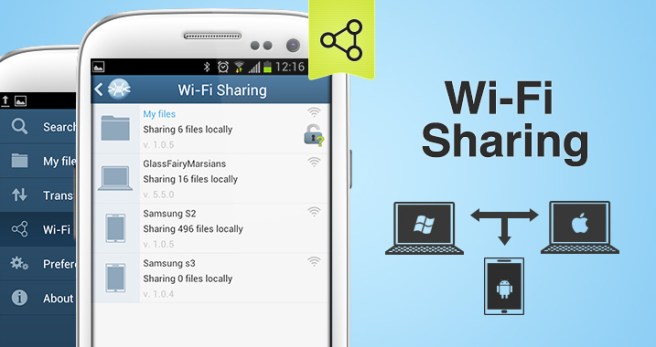
With FrostWire now Android phones, tablets and computers (PCs, Macs, Linux boxes) can share files on a Wi-Fi hotspot without setup, it’s very fast and no internet connection is necessary.

Place the stickers to signal others of a file sharing area nearby, A cafe, park, classroom, office or maybe even the last subway car on every line in your city?

Get your free stickers at http://www.frostwire.com/stickers

New FrostWire 5.5.0 with Video Player and Wi-Fi local file sharing.

Get FrostWire 5.5.0 now

The new FrostWire 5.5.0 features dozens of fixes and a few new powerful features.

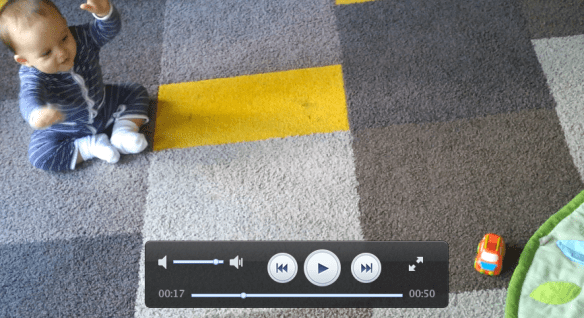
Play and Stream Video

Now FrostWire will let you play Videos and Movies. These may come from files already in your computer, video files shared from your Android phone with FrostWire for Android, or even from search results coming from the cloud (play before downloading. this also applies to music shared on the cloud)

We have made a fork of the mplayer project called frostwire-jmplayer, in the case of MacOSX we’ve built UI controls in Cocoa (Objective-C) to give you the best experience. In the case of Windows and Linux we’ve built the same controls and rendered them on the mplayer window using some cool java tricks.

In case you’re not very fond of using the mouse, here are some supported keyboard shortcuts when you’re using the video player:

Toggle Full Screen: F key, Alt+Enter, Cmd+Enter on Mac
Leave Full Screen: ESC key or see Toggle Full Screen
Pause/Resume: spacebar key, P key
Skip Forward, Skip Backwards Left and Right arrow keys.
Volume Up: Up arrow, = key, + key
Volume Down: Down arrow, – key

Audio/Video Previews

One of the number one complains after we got rid of Gnutella has been the ability to preview downloads. Now you’ll be able to do preview search results coming from the cloud, for both audio and video files. FrostWire will stream and play the content for you if you hit that play button instead of the download one.

Audio and Video streaming is also available if you’re on a PC/Mac and you try to play audio or videos shared from another PC, an Android Phone or Android Tablet running FrostWire on the same Wi-Fi network.

Wi-Fi sharing

Send files between computers (PC, Mac, Linux), Android Phones and Android Tablets, no more USB cables, no more mounting, no more pairing, just share and go.

Say you took some pictures, or recorded some video on your phone or tablet, you can mark the file shared on your device and other computers, phones or tablets running FrostWire on the same Wi-Fi network can download and stream your shared files.

We’ve experienced file transfers of up to 15MB/s from a Macbook to a Kindle Fire HD. No internet necessary, just having FrostWire running on devices connected to the same Wi-Fi hotspot.

We’ve built this feature primarily thinking of small work groups in offices, classrooms and for convenient media sharing at home. NO MORE CABLES, No more USB mounting, No more USB Sticks. Just share, stream or download.

sharing_howto

And remember, don’t ever pay for FrostWire, it’s absolutely free software. No subscriptions, registration, no nags, just download, install and go.

FrostWire 5.5.0 Changelog.

Screen Shot 2012-11-30 at 1.46.00 AM

frostwire (5.5.0) stable; urgency=high
* New FrostWire video player.
* New audio preview on cloud based audio search results.
* New video preview on cloud based video search results.
* New Wi-Fi sharing between FrostWire for Desktop and Android.
* New Wi-Fi sharing/announcement/discovery protocol via UPnP standards.
* New Stream Video/Audio stored shared on Android devices.
* UX Improvement: Add folders to library with drag and drop on
library tree.
* UX Improvement: cloud audio downloads now have album art.
* Core Search Performance lowers CPU usage dramatically while indexing.
* Core Improvement: broader compatibility on cloud demuxed downloads.
* UI Improvement: partial download/torrent content window now includes
file extension, file type icon.
* UI Improvement: when opening youtube url, the file selection dialog
has type/quality hints to guide user on the options available for
download.
* UI Improvement: audio player simplified, no stop button.
* UI Improvement: Transfer manager now has ‘Clear Inactive’ button.
* Bug fix: Run on startup for Mac finally works. The BitTorrent network
will get a boost of upstream bandwidth.

— FrostWire Team Thu, 29 Nov 2012 16:00:00 -0500

Get FrostWire 1.0 for Android

If you are getting an Android device this holiday season, we’ve spent the last 5 months building a must-have app for it.

Install FrostWire via Google Play.

Download the .apk installer.

Here’s a few things you can do with our completely re-designed and easy to use file sharing client and media player.

Improved search that integrates with the cloud.

Search results are faster than ever (instant in most cases) and not only you’ll have the most powerful BitTorrent Deep-Smart search[1] featured in previous versions, now FrostWire integrates with popular cloud services where content creators from all over the world share millions of legally available files[2].

The fastest downloads ever on any FrostWire for Android.
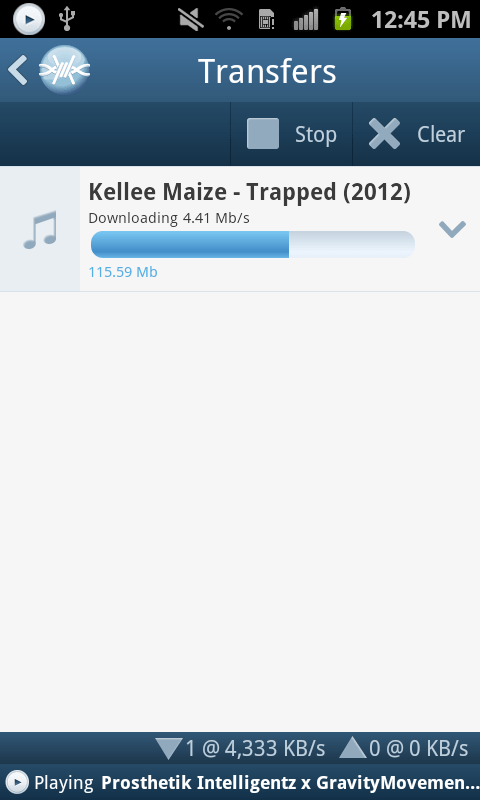
Be it on Wi-Fi, 3G or 4G you will experience in most cases downloads that are so fast you won’t even see the progress bar begin to move, by the time the transfer screen is opened the file will already be on your device. Specially when sharing files with other FrostWire devices (PCs too) on the same Wi-Fi network.

Share files between phones, tablets and computers without any networking know-how
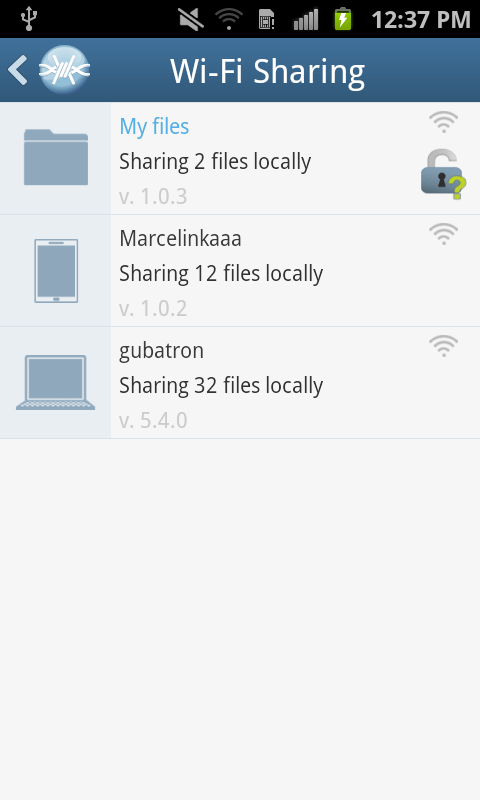
You don’t have to use cables or become a computer guru to share files between your phones, tablets or computers. We’ve also been working on FrostWire for desktop so that when you open FrostWire on your phone or computer you will be able to see every device automatically.

Just make files publicly available by opening padlock icons next to the files and every device running FrostWire will be able to download and even stream music or video from each other.

This makes it great for groups of people (work, school, home, party), now you only need to take only one photo and share it with everybody else next time you’re all connected to the same Wi-Fi hotspot.

Sending documents, music, family videos between your mobile, tablet or computer has never been easier or faster, best of all it doesn’t even matter what Operating system you’re running, Windows, Mac, Linux, it doesn’t matter, all you need is FrostWire and a Wi-Fi router. It just works.

World class Gesture Based Music Player

We’ve redesigned our music player for simplicity and convenience. FrostWire’s music player is the world’s first gesture based music player, we built it thinking of drivers in mind, no need to take your eyes off the road if you want to switch songs or pause/resume playback.

On this version we’ve introduced a beautiful new design with a 3D presentation of the album art currently being played. It also has functionality to share or un-share the file you’re currently listening to without having to browse or find the file on your device.

Easier Navigation
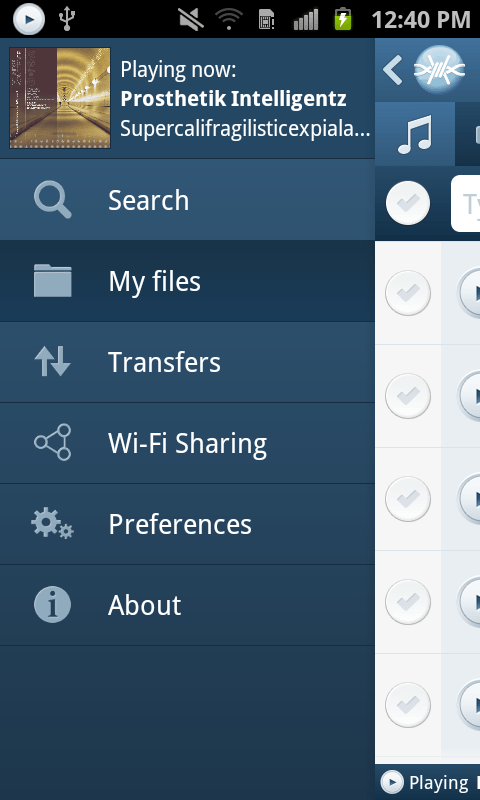
We’ve recreated the navigation system on the application, it now has a beautiful animated and responsive slide in menu that will take you anywhere in the app, with room for future functionality, and if you’re playing a song you will be able to see the album art of the song being played.

We’ve also implemented a custom “Back” history handler so that you can backtrack perfectly the screens you’ve navigated as you used the app. You now have random access navigation through the menu, and sequential access navigation through the Android’s back key.

We’ve added new controls to let you instantly filter your own files and see which are being shared on the Wi-Fi network and which aren’t in just one touch.

Install FrostWire on your Android and spread the word, the more the merrier, it’s absolutely free.

Install FrostWire via Google Play.

Download the .apk installer.

[1] FrostWire's Deep-Smart search uses the most popular torrent indexing services to fetch torrent files, then FrostWire opens these files and searches for the individual files indexed by the torrent. As FrostWire searches it remembers the files it's seen in the past to make your next searches instantaneous.

[2] Only on YouTube.com in 2012 it was announced users had shared over 4 million Creative Commons licensed videos. FrostWire also taps on SoundCloud.com, the internet's biggest sound and music community of content creators, bands, singers and DJs that pay to make their music available for free to the SoundCloud community. If you share your content on YouTube or SoundCloud you're automatically available to the millions of FrostWire users on both Desktop and Android. Integration with more popular cloud services to come in the next releases.

When you download and install FrostWire you must agree that you will not use it for the purpose of copyright infringement otherwise the software won't work. FrostWire condemns copyright infringement. Downloading FrostWire does not constitute permission or a license for obtaining or distributing unauthorized files. It is illegal for you to distribute copyrighted files without permission. If you want to know about legal content you can download and distribute legally please visit FrostClick.com, Vodo.net, ClearBits.net, LegitTorrents.info and CreativeCommons.org

FrostWire for Android 1.0 Screenshots

We’re only days away from releasing the best file sharing application for mobile devices in the world.

A full blown file sharing client, a file browser with clear privacy controls to share files with others via WiFi or via BitTorrent, a gesture based music player, all free.