FrostWire 5.5.0 Changelog.

Screen Shot 2012-11-30 at 1.46.00 AM

frostwire (5.5.0) stable; urgency=high
* New FrostWire video player.
* New audio preview on cloud based audio search results.
* New video preview on cloud based video search results.
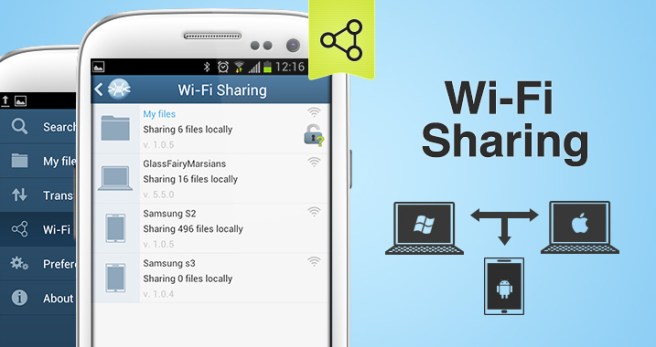
* New Wi-Fi sharing between FrostWire for Desktop and Android.
* New Wi-Fi sharing/announcement/discovery protocol via UPnP standards.
* New Stream Video/Audio stored shared on Android devices.
* UX Improvement: Add folders to library with drag and drop on
library tree.
* UX Improvement: cloud audio downloads now have album art.
* Core Search Performance lowers CPU usage dramatically while indexing.
* Core Improvement: broader compatibility on cloud demuxed downloads.
* UI Improvement: partial download/torrent content window now includes
file extension, file type icon.
* UI Improvement: when opening youtube url, the file selection dialog
has type/quality hints to guide user on the options available for
download.
* UI Improvement: audio player simplified, no stop button.
* UI Improvement: Transfer manager now has ‘Clear Inactive’ button.
* Bug fix: Run on startup for Mac finally works. The BitTorrent network
will get a boost of upstream bandwidth.

— FrostWire Team Thu, 29 Nov 2012 16:00:00 -0500

Get FrostWire 1.0 for Android

If you are getting an Android device this holiday season, we’ve spent the last 5 months building a must-have app for it.

Install FrostWire via Google Play.

Download the .apk installer.

Here’s a few things you can do with our completely re-designed and easy to use file sharing client and media player.

Improved search that integrates with the cloud.

Search results are faster than ever (instant in most cases) and not only you’ll have the most powerful BitTorrent Deep-Smart search[1] featured in previous versions, now FrostWire integrates with popular cloud services where content creators from all over the world share millions of legally available files[2].

The fastest downloads ever on any FrostWire for Android.
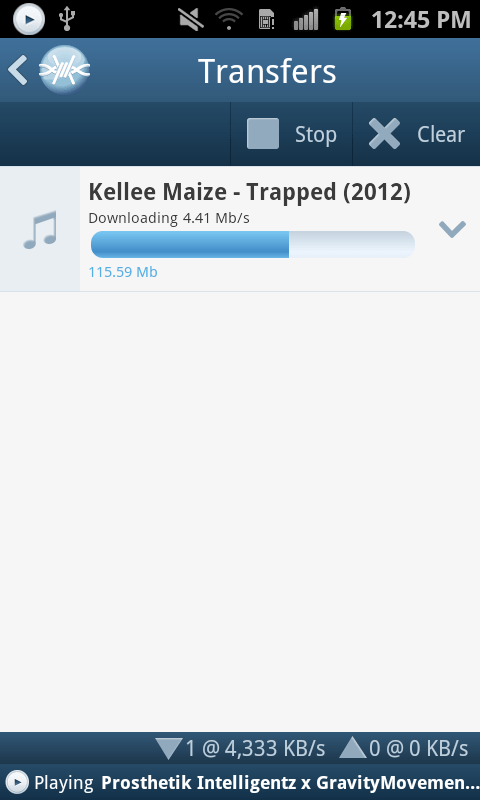
Be it on Wi-Fi, 3G or 4G you will experience in most cases downloads that are so fast you won’t even see the progress bar begin to move, by the time the transfer screen is opened the file will already be on your device. Specially when sharing files with other FrostWire devices (PCs too) on the same Wi-Fi network.

Share files between phones, tablets and computers without any networking know-how
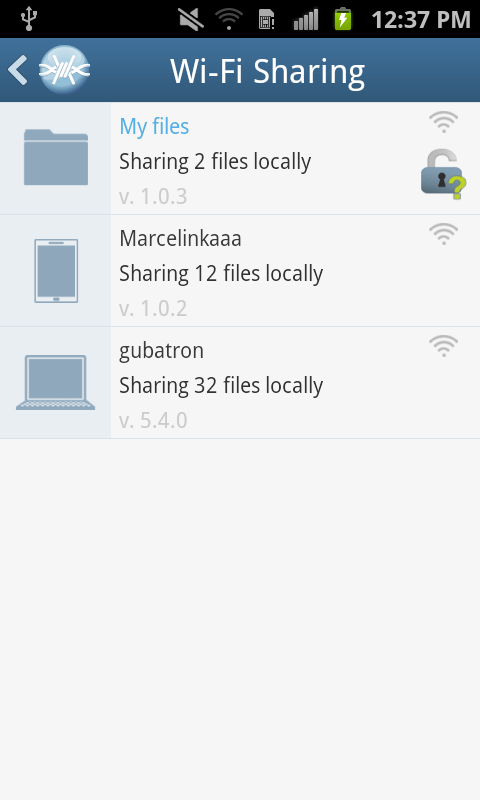
You don’t have to use cables or become a computer guru to share files between your phones, tablets or computers. We’ve also been working on FrostWire for desktop so that when you open FrostWire on your phone or computer you will be able to see every device automatically.

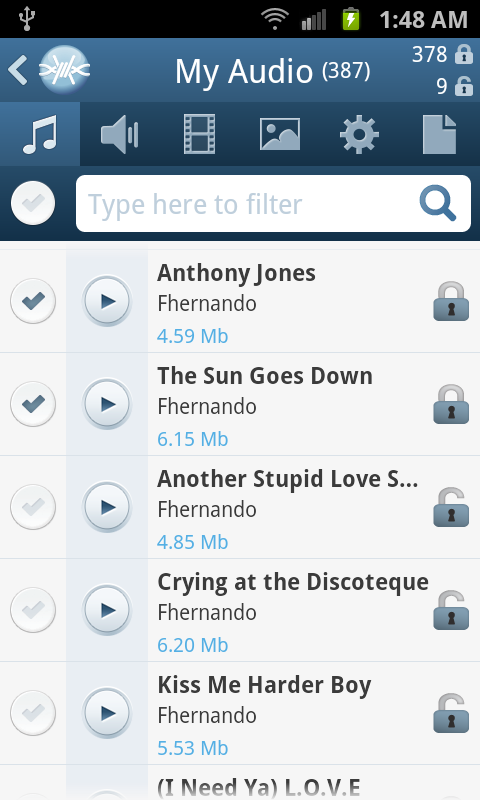
Just make files publicly available by opening padlock icons next to the files and every device running FrostWire will be able to download and even stream music or video from each other.

This makes it great for groups of people (work, school, home, party), now you only need to take only one photo and share it with everybody else next time you’re all connected to the same Wi-Fi hotspot.

Sending documents, music, family videos between your mobile, tablet or computer has never been easier or faster, best of all it doesn’t even matter what Operating system you’re running, Windows, Mac, Linux, it doesn’t matter, all you need is FrostWire and a Wi-Fi router. It just works.

World class Gesture Based Music Player

We’ve redesigned our music player for simplicity and convenience. FrostWire’s music player is the world’s first gesture based music player, we built it thinking of drivers in mind, no need to take your eyes off the road if you want to switch songs or pause/resume playback.

On this version we’ve introduced a beautiful new design with a 3D presentation of the album art currently being played. It also has functionality to share or un-share the file you’re currently listening to without having to browse or find the file on your device.

Easier Navigation
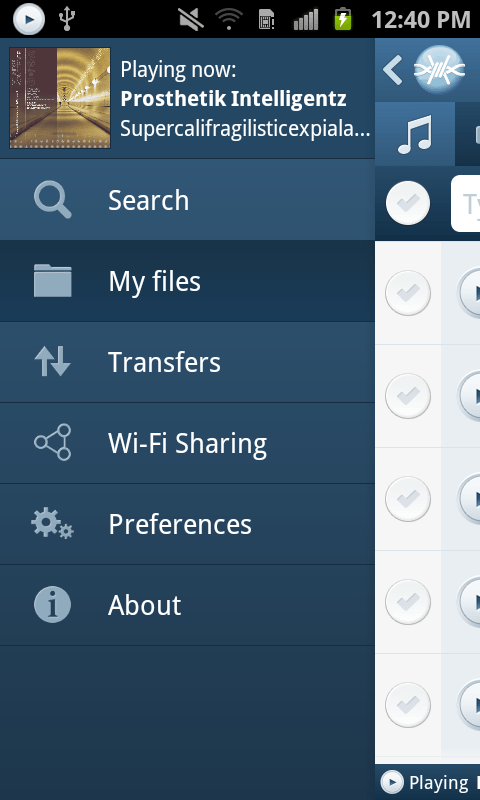
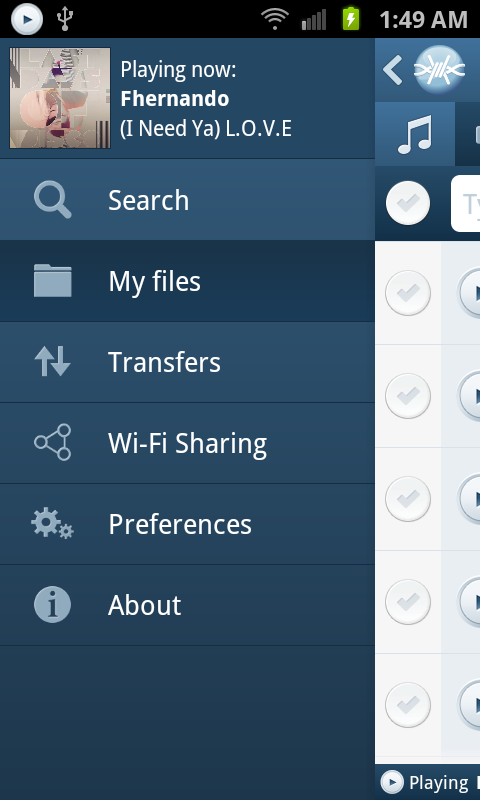
We’ve recreated the navigation system on the application, it now has a beautiful animated and responsive slide in menu that will take you anywhere in the app, with room for future functionality, and if you’re playing a song you will be able to see the album art of the song being played.

We’ve also implemented a custom “Back” history handler so that you can backtrack perfectly the screens you’ve navigated as you used the app. You now have random access navigation through the menu, and sequential access navigation through the Android’s back key.

We’ve added new controls to let you instantly filter your own files and see which are being shared on the Wi-Fi network and which aren’t in just one touch.

Install FrostWire on your Android and spread the word, the more the merrier, it’s absolutely free.

Install FrostWire via Google Play.

Download the .apk installer.

[1] FrostWire's Deep-Smart search uses the most popular torrent indexing services to fetch torrent files, then FrostWire opens these files and searches for the individual files indexed by the torrent. As FrostWire searches it remembers the files it's seen in the past to make your next searches instantaneous.

[2] Only on YouTube.com in 2012 it was announced users had shared over 4 million Creative Commons licensed videos. FrostWire also taps on SoundCloud.com, the internet's biggest sound and music community of content creators, bands, singers and DJs that pay to make their music available for free to the SoundCloud community. If you share your content on YouTube or SoundCloud you're automatically available to the millions of FrostWire users on both Desktop and Android. Integration with more popular cloud services to come in the next releases.

When you download and install FrostWire you must agree that you will not use it for the purpose of copyright infringement otherwise the software won't work. FrostWire condemns copyright infringement. Downloading FrostWire does not constitute permission or a license for obtaining or distributing unauthorized files. It is illegal for you to distribute copyrighted files without permission. If you want to know about legal content you can download and distribute legally please visit FrostClick.com, Vodo.net, ClearBits.net, LegitTorrents.info and CreativeCommons.org

FrostWire for Android 1.0 Screenshots

We’re only days away from releasing the best file sharing application for mobile devices in the world.

A full blown file sharing client, a file browser with clear privacy controls to share files with others via WiFi or via BitTorrent, a gesture based music player, all free.

FrostWire for Android 1.0 preview: Quickly checking what files are shared.

Try it now on your Android (Before the rest gets it on Google Play)

Now when you’re browsing “My Files”, you will see indicators on the top right corner of the screen letting you know how many files are shared and how many files are not shared. If you touch the indicators, FrostWire will show you only the shared ones, the un-shared ones, or all the files.

Very useful if you just shared a file and you want to unshare it, or viceversa, specially when you have hundreds or thousands of files in your device.

Quick Peek at the next generation of FrostWire for Android (1.0.x)

Test the 1.0.0 beta installer

Here’s a sneak peak of the next generation flagship file sharing client for the mobile world.
This next generation will include a brand new user interface with a more streamlined experience, you’ll be able to search, access and consume your files better than ever with FrostWire for Android, which will integrate tightly with FrostWire for Desktop, no matter on what operating system you run, with absolutely no setup required, just run and share.

Get the current version of FrostWire for Android free today, as soon as 1.0 is out you will receive the update message.

New FrostWire 5.4.0 available now

Download FrostWire 5.4.0 for free on the official website

An easier to use, with better search results FrostWire is out and about.
Make sure to grab the update.

Here’s the full changelog:

frostwire (5.4.0) stable; urgency=high
  * No more sound distortion with the FrostWire player volume levels.
  * Search engines update.
  * UX Upgrade: Only one file type per search. Users were getting confused
    with mixed file types in results.
  * UX Upgrade: Forbid multiple selection on partial file selection dialog.

 -- FrostWire Team   Mon, 17 Sep 2012 18:00:00 -0500

Mac OSX 10.8.1: FrostWire is “damaged”??? Not at all, just allow applications downloaded from everywhere.

Users that upgraded to Mac OSX 10.8 or who recently got a new Mac will probably get a nasty message that won’t let them run FrostWire.


If you see that dialog on your Mac, it’s an EVIL LIE. The App is not “damaged”, we’re not sure why Apple would lie in such a way to users instead of just letting them know that this app didn’t come from their “App Store”.

Basically the geniuses at Apple decided to impose a new setting to not let you run software that doesn’t come from their App Store (next thing we know we won’t be able to run software that doesn’t come from the App Store just like on iOS (iPhones/iPads) and people will have to jail break their desktop/laptops…*sigh*)

To solve the issue, on your mac, go to:

System Preferences > Security & Privacy

and tell your Mac to open apps downloaded from everywhere, like you’ve been doing for the last… well since Macs were macs.

Let’s hope Apple won’t start forcing every app out there to be inside their App Store and then impose draconian rules to enter the App Store, this will be the beginning of the end of Mac OSX if it happens, please let users run the software they’ve downloaded on their computers.

Do not download X3 Codec, It’s a Trap!

Some users have reported that there’s a recent trend in fake audio files that say something along the lines of:

“To listen to this file you need the X3 Codec”

First off, you’re already listening to the file with the audio player that you’re using. If you go to the website they tell you, what you’ll end up getting will be a trojan or malicious file.

What to do?

1. Remove the transfer so you don’t seed the malicious file and make sure the files are deleted from your computer.
2. Go to the “Source” (listed in the search result) and report the .torrent as a fake/trojan/malicious file.

The more you guys report malicious files, the easier it is for indexes and search engines to keep everyone safe.