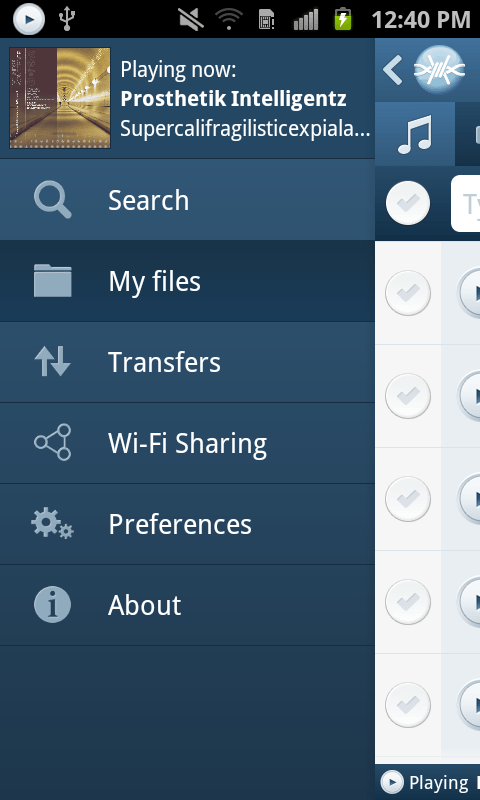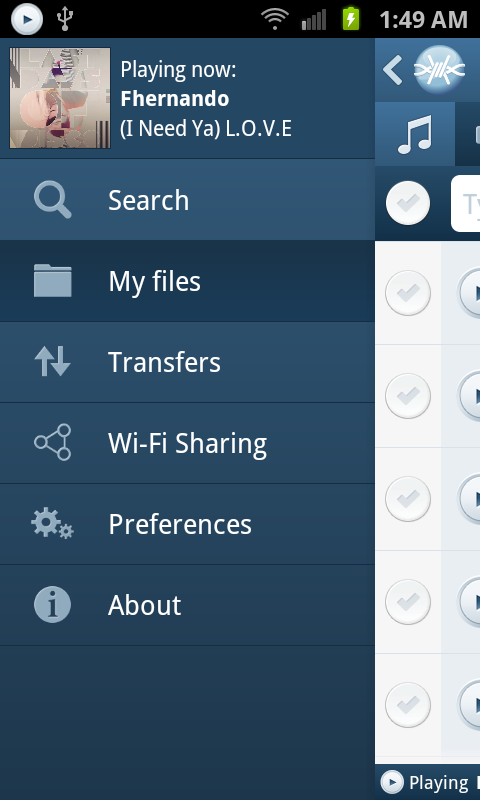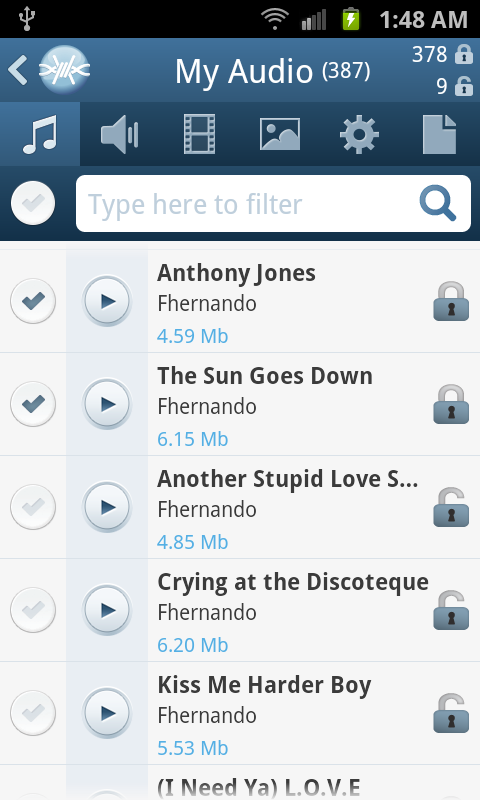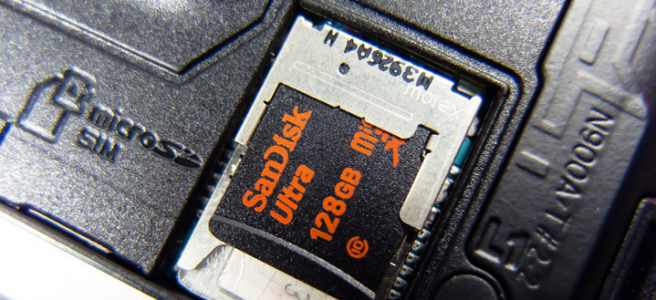
SD Card storage coming back to FrostWire for Android, but there’s a caveat.

Some Android phones are SD Card capable, and this storage extensibility is one of the key attractive features why people use Android and not iOS.

However, as of Android KitKat (4.4) Google removed the possibility for developers to be able to write files anywhere on the SD Card, instead they can now write to a specific location, and all the files written in it are deleted when the application is uninstalled by the user.

Screen Shot 2014-07-02 at 9.09.54 PM

The only two logical reasons we can understand Google did this are the following:

1. Cleanliness. Apps leaving a lot of app specific files in the SD card and not being able to clean up on uninstall (as Android does not notify the app that’s being uninstalled of such an important event)

2. Security. Apps being able to write on each other’s folders, which is unsafe and which can lead to other apps breaking.

Now developers can still write to the SD card, but only into a specific Private folder designated for each app, however there is one big caveat, when an app is removed, that private folder is removed and all files in it are lost forever.

but what about apps that need to leave files behind even after being unsintalled?
yeah, apps like photo apps, video apps, downloader apps like FrostWire…

Oh, for that you gotta use the “public folders” in the phone’s internal memory (which by some odd historical reasons they call “external storage”, which is very confusing) which runs out pretty quickly as every other app needs to do the same.

We’ve tried to exhaust every possible option to write files on the SD card on a location that won’t be deleted, but it’s really impossible to do so (and even though we could do it with a  hack, it wouldn’t work on all Android devices)

Google has removed an important freedom, instead of giving developers a persistent app related public location on the SD card that would survive after uninstalling, or to at least leave things the way they were before the KitKat update and add a new ON_UNINSTALL Intent for apps to have a chance to cleanup before being uninstalled.

SD Card Storage is Coming Back as a best effort solution.
device-2014-07-08-154508

We’ve decided to bring SD Card Storage back as an advanced option, it does not make sense to have a downloader application on a phone/tablet with lots of secondary storage and not use it.

We think many users are probably uninstalling FrostWire because they think “it takes too much space” even though this is not our intention, things are this way because Google decided it that way, a-la Apple.

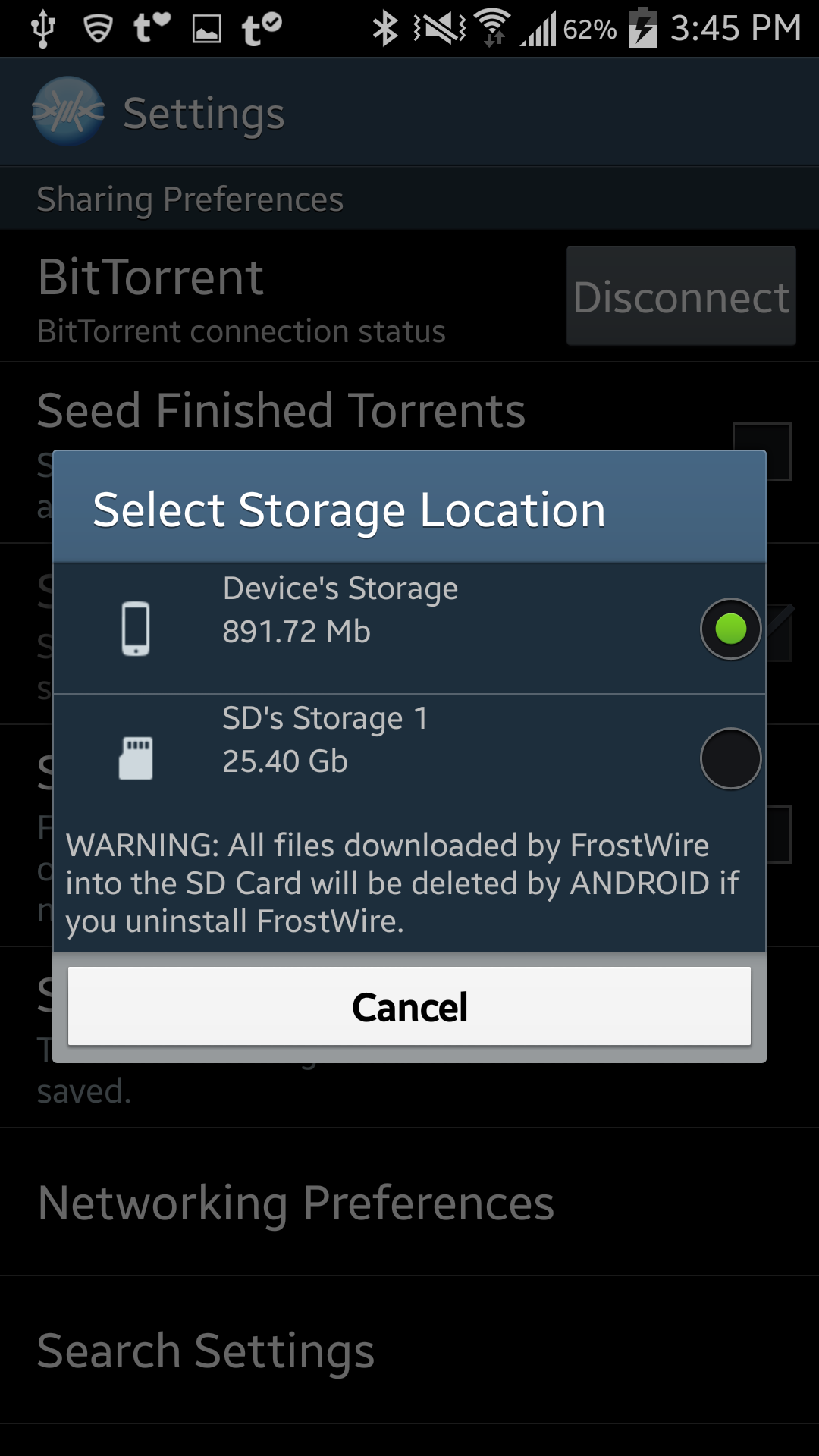
In our next release,  you will be able to change the default storage location into your SD Card, but you will be warned and reminded of the risks you face by doing so, remember to synchronize your FrostWire downloaded files outside of your device, or to make a backup of the files before uninstaling FrostWire, which we hope you won’t have to as we’re working hard to give you the best downloader app in the world.

This is the best we can do at the moment, we hope Google changes its mind, we think these policies reflect poor judgement and decision making on their part, as they are continuosly removing important freedoms that make Android such an attractive platform in the first place.

Gubatron
Lead Developer
FrostWire for Android 1.3.3 build 136 available on Beta Channel

NOTICE: If you’re currently having issues with search on 1.3.2 and below it is advised that you turn off Torrents.fm search until 1.3.3 is out.

R5ybcdi

How to become a beta tester.

Please test:
– Search (we had an issue where torrent.fm search was broken and slowing down the app from getting any other search results, past whatever came in first before querying torrents.fm)
– Pasting a Soundcloud URL on Search.
– Pasting a Soundcloud Playlist URL on Search.
– Pasting a Soundcloud URL on (+) transfers.
– Pasting a Soundcloud Playlist URL on (+) transfers.
– Searching youtube videos by pasting a YouTube url on search.
– Scrolling through search results, my audio, my pictures should be smoother/faster.

Please report any crashes ASAP.

We are still fixing a few more issues that occur when the internet connection is dropped and recovered, or when the user disconnects the Bittorrent engine from the Preferences screen and tries to re-connect. As soon as we’re done with these fixes and any more reported crashes are fixed we’ll be releasing 1.3.3.

This version should feel a lot faster.

Changelog FrostWire 1.3.3 - JUNE/23/2014

 - Improvements in memory consumption and performance for image caching.

 - Download Soundcloud Tracks and Playlists by entering URL on search box.

 - Download Soundcloud Tracks and Playlists by entering URL on Transfer "+" control.

 - Search YouTube videos by pasting YouTube URL on search box.

 - Fixes issues with Torrents.fm search.

 - Transparent use of ViewHolder pattern in ListViews.

 - GSON library update.

 - Picasso library update.

New FrostWire File Downloader 1.3.0 for Android out

Install FrostWire now on your Android, 100% Free

A new major release of FrostWire for Android (1.3.0) is finally out after 5 long months of coding and testing. Thanks to everyone supporting the project! be it with code, translations, spreading the word or sending donations, without you this release wouldn’t be possible.

The most important changes done in this release have a lot to do with the Bittorrent core engine, significant improvements in memory handling (less unexpected crashes due to out of memory errors, and the app should feel a lot snappier than 1.2.2 when you switch screens and scroll through search results) and lots of details related to user experience.

BitTorrent Improvements

The entire BitTorrent core was replaced with the latest stable source code from the Azureus Project, during this integration we enabled a few features that we didn’t have before on Android, the most important ones being:

  1. uTP support (which helps FrostWire deal better with packet congestion issues resulting in a better Internet experience on your phone/tablet, even while you’re downloading seeding)
  2. DHT and Magnet support while on Wi-Fi. DHT/Magnet support was there but turned off as it doesn’t really work as expected when you are connected to the Internet via 3G/4G. After 1.3.0 we turn it on when you are connected on Wi-Fi networks, sort of a best-as-you-can approach.
  3. Now that we have DHT/Magnet support, we’ve added several popular Torrent/Magnet search indexes, so you will be getting a lot more search results than before if you are connected to Wi-Fi. Some of the search engines now available are: TPB, Torrents.fm, Monova and Yify.
  4. We’ve joined uTorrent in its initiaive to lower times while connecting to a swarm (which leads to faster downloads for everyone) and to avoid the possibility for a DDoS attack on swarms by implementing the BEP 040 proposal for “Canonical Peer Priority” when selecting what peers to connect to using a new peer prioritization algorithm.

User Interface/User Experience Improvements

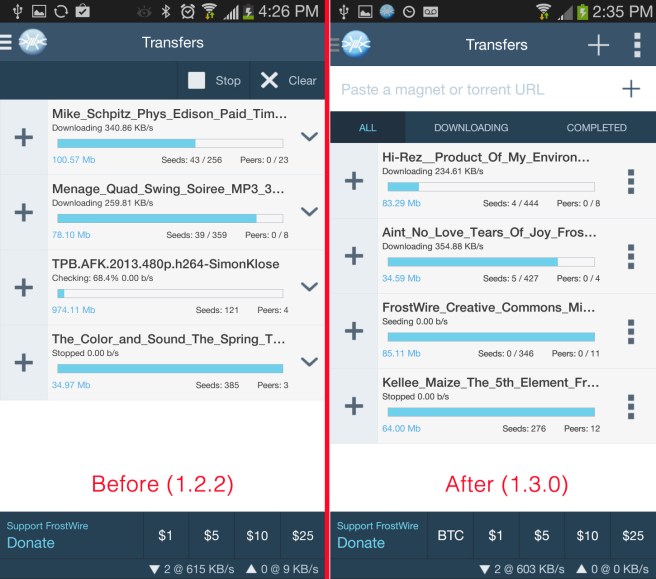
The “Transfers” screen got a lot of love.

frostwire_transfers_before_and_after_screenshots

  • You can now paste a magnet URI or .torrent URI to start a transfer from it.
  • Magnet URI Support. FrostWire will now start magnet downloads if you click on a magnet on a web browser
  • Smart Pause/Resume transfer. If you move from a Wi-Fi connection to a 3G/4G network, FrostWire will take a look at your preferences and if you don’t want to use BitTorrent while on a mobile network, we’ll automatically pause those transfers for you, if you come back to any other Wi-Fi network we’ll automatically resume those transfers for you.
  • Transfers can now be filtered by their status (All, Downloading, Completed)
  • Updated icons and new buttons for context menus, the downward arrow we used to have was a bit confusing when compared to the “+” to expand multiple-file transfers.

Other user experience improvements include search result thumbnails (when available), making the search experience more intuitive and less Reading-Intensive if you recognize the thumbnail of what you are looking for.

FrostClick/FrostWire promotional images are now displayed the same way across all devices when you first open the app, please support these artists by downloading and seeding their free content, you might discover a favorite new artist to follow.

You can get FrostWire for Android 1.3.0 on Google Play or on our website
(submission pending for the Amazon App Market)

Full Changelog

FrostWire 1.3.0 - APR/30/2014
 - Upgraded BitTorrent engine with latest code from Azureus project.
 - Added uTP packet congestion support.
 - Added Canonical Peer Priority support. (BEP40)
 - Upgraded Android SDK target to Ice Cream Sandwich's API (15 - Android 4.0.3).
   Users on Android devices running older versions will have to use FrostWire 1.2.3
   or upgrade their operating system to +4.0.3 to receive further updates.
 - Removed cling library for Local peer discovery, switched to JmDNS compatible with
   frostwire for desktop 5.7.1.
 - Considerable memory handling improvements, lots of leaks fixed which should lead
   to very little out of memory errors from crashing the app.
 - Added optional sponsored search results by Appia.
 - Minor upgrades to audio player and Frostclick.com's free promotional downloads.
 - Added TPB, Torrents.fm, Monova and Yify search. Search results available only when on a Wi-Fi connection.
 - Magnet URI support when touching a magnet link on a web site.
 - Paste a magnet or .torrent URI on the Transfers screen to start a download.
 - Some search results now have image thumbnails. More coming.
 - When internet connection is dropped, ongoing transfers are automatically paused and
   restored when internet connection comes back.
 - Corrected file sizes on SoundCloud search results.
 - Multiple bug fixes.

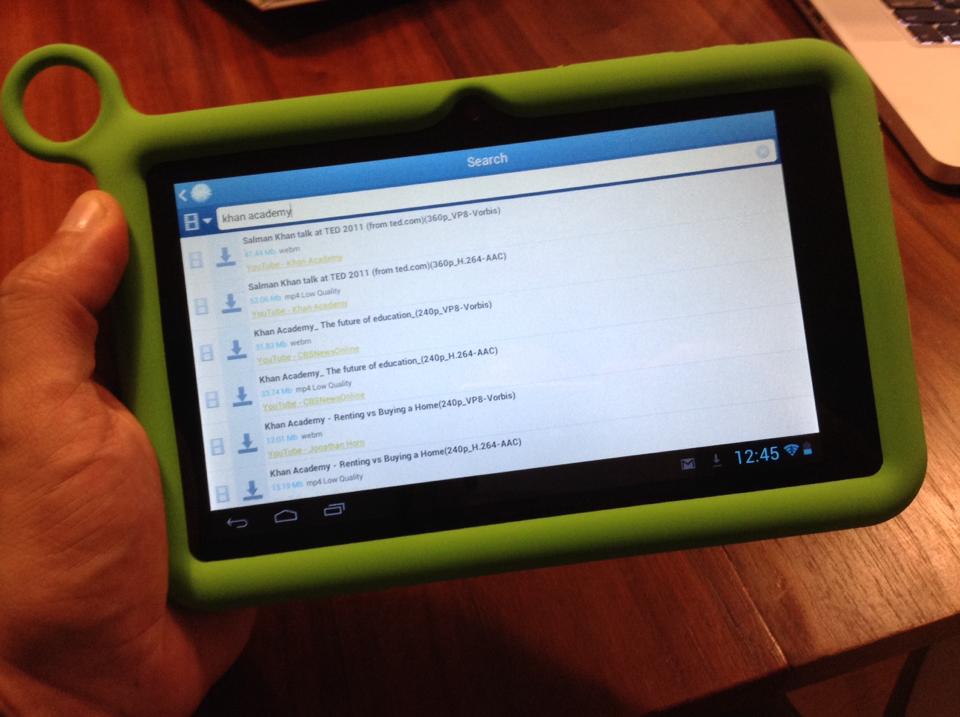
FrostWire running on an #OLPC Tablet

FrostWire running on the OLPC tablet.

FrostWire is a very powerful research tool, its smart file meta search can find millions of files in the public domain and under Creative Commons licenses, among those, many unvaluable books, instructional videos and lectures in every academic discipline.

The One Laptop Per Child project is an amazing educational initiative that has put technology in the hands of over 2.5 million children worldwide, truly transformative stories have ocurred in the process, many will give you the goosebumps to hear.

More recently the project has recognized the evolution in personal computing technology and the advent of tablet devices, and their new iteration is a tablet, an Android tablet.

FrostWire runs on Android, now OLPC users will be able to use the powerful FrostWire smart file meta search technology and Wi-Fi sharing capabilities to discover, learn and share.

About One Laptop Per Child
One Laptop per Child (OLPC) is a project supported by the Miami-based One Laptop per Child Association (OLPCA) and the Cambridge-based OLPC Foundation (OLPCF), two U.S. non-profit organizations set up to oversee the creation of affordable educational devices for use in the developing world. The project was originally funded by member organizations such as AMD, Chi Mei, eBay, Google, Marvell Technology Group, News Corporation, Nortel, Red Hat, and Quanta.

FrostWire for Android 1.1.2 (beta) out

sabana-grande-2

FrostWire for Android 1.1.2 build 98 is now available for beta testers via Google Play.
Download it now on Google Play

NOTE: You must be part of The FrostWire for Android Beta Testers Group, or a member of The Pirate Bay Google+ Community to be able to download the beta from Google Play

Full Changelog (Updated September/03/2013 at 5:09pm Eastern)

FrostWire 1.1.2 – SEP/03/2013
– Removed offers during installation to comply with new Google Play guidelines.
– New: Stop music playback completely by long pressing the play/pause button.
– New: Audio Player menu now has “Delete this track” feature, get rid of songs
you don’t like on your device next time you come across them and keep playing.
– New: Turn on/off wifi sharing from Wi-Fi sharing screen. Turning off Wi-Fi
sharing results in considerable battery savings since the radio is not being
used constantly to discover and announce to other peers on the local network.
– Sources on search results are now underlined to hint user of sourc checking feature.
– Fixes issues parsing some YouTube urls.
– Fixes soundcloud search.
– Improved memory usage and multiple memory leaks fixes will avoid a multiple
number of crashes due to out of memory errors, specially on older devices
with limited memory availability.
– Fixes issue with double memory allocation related to
first creen’s grid view.
– Fixed some memory leaks related to picasso bitmap
allocations.

New FrostWire for Android 1.0.8 out

Screenshot of the new FrostWire for Android navigation menu

A new FrostWire for Android is out on Google Play.

In this release we improved our search algorithm to include relevant search results that were being hidden in previous versions.

We’ve also made use of Square’s Picasso Image loading/caching library for displaying all the images on the user interface, resulting in less crashes due to out of memory errors we kept receiving. Now when browsing your Audio files you will be able to see the cover art of the track, making music browsing a lot friendlier.

We’ve removed ad display from the player window, no more admob ads, instead we’ll rely on the support of the community and we’ve placed a donation control which you can always turn off on the application settings.

We’ve added a new navigation menu called “Watch TV” which will either launch or take you to the android market so that you try our new app “FrostWire TV   ” to watch live TV channels (and a huge library of video on demand content). This app is still in beta testing period, we’d love for you to give it a try and give us as much feedback as you can. We’ll reveal more details about our Live TV initiatives and new partnerships on an upcoming press release. As an added bonus,

this release is compatible with OUYA, however there’s still a lot of user experience details that need to be fine tuned for better feedback on non-touch screens. Here is the full changelog:

FrostWire 1.0.8 - MAY/31/2013
 - New main menu entry to launch "FrostWire TV" app.
 - Search algorithm improvement brings better quality and missing search results.
 - Local audio files now show album art making local music browsing friendlier.
 - Fixes bug where audio player would stop instead of pausing when removing headphones.
 - Updated Image caching based on Picasso, better frame rate overall, should see
   less Out of memory error reports.
 - Fixes bug where the search cache couldn't purge old entries nor it could be deleted.
 - Fix for parsing torrents with minor mistakes in trackers list.
 - Less intensive HTML detection during torrent parsing
 - Added jdk14 logging library.
 - Fixes bug where .torrent files and magnets would not open with some file/web browsers.
 - Fixes crash reported when there is no access to the image cache folder.
 - Fixes crash initializing donations Billing Service.
 - Better description for mobile network data usage and bittorrent preferences.
 - Removed Google AdMob.
 - Added donations request component instead of ads.
 - Integrates Offercast offers on installation.
 - Experimental OUYA compatibility.


New FrostWire for Android 1.0.6 – Now with access to Archive.org’s 7.3MM files

177fc79ea15011e2b19422000a1f9bc9_7

Download the APK or get it at Google Play

A new FrostWire for Android is here, this is a major update that you should not skip, specially if you’ve had issues in the past.

The biggest changes are:

Integration with Archive.org

Archive.org indexes free files from all over the internet, there’s a huge amount of Public Domain files and Creative Commons files, so keep an eye for those archive.org results if you’re looking to remix legally free available content, FrostWire will be a great tool to find it.

Archive.org also indexes torrents of these files, if you download and seed you will help make its contents more decentralized and durable, not to mention you will save archive.org some bandwidth.

The Archive holds over 7.3 million files, it’s a powerful content library that now is easily accesible from anywhere using FrostWire, we hope you find it very useful, for example, law students and attorneys can now use FrostWire to search for public transcript of court cases, among other documents. Almost every known public domain film, book, and audio recording is available and best of all we’ve integrated it with FrostWire after revamping our search architecture which now delivers results as soon as possible to your android device.

Search results coming from archive.org include basic information about the file’s license if available, make sure to check the licenses and to respect your local copyright laws, FrostWire condemns copyright infringement.

Faster Search, Reduction of CPU/Battery consumption

We’ve made search considerably faster, now results are shown as soon as they come in, in the past our algorithm would wait for a certain amount of results to come in and show them to you, the search experience should feel snappier now. Also we optimized and fixed our code and some third party libraries that weren’t meant to be used on Android so now the app consumes up to 84% less CPU which will result in your battery lasting a lot longer if you’re running FrostWire.

We’ve made a few improvements in the bittorrent core, namely the hashing algorithms are about 15% faster than before which also reduces battery consumption while downloading and checking torrent chunks.

More stable and compatible

Since our last release in november we received thousands of crash logs from users worldwide and we went through all of them fixing bug by bug, in the process we did a few updates on the user interface you will notice a nicer looking navigation menu, and more intuitive icons to share/unshare files on the Wi-Fi network.

Many fixes related to the audio player, specially an annoying double-playback bug lots of you reported, thank you.

Full Changelog

For those of you following the codebase and who know geek-speak

FrostWire 1.0.6 - APR/08/2013
 - Faster search results. Search architecture revised and improved.
 - Includes search results from archive.org, which indexes millions
   of public domain and creative commons works from all over the
   internet.
 - Reduces CPU and battery consumption up to 84%.
 - FrostWire won't disable screen locking during audio playback.
   It's now up to the user to set longer auto-locking timeouts if
   they want to use FrostWire as an audio player in their vehicles.
 - UI fix, media player screen is correctly updated if a song starts
   while the screen was locked.
 - Updated icons and graphics.
 - Improved mime type detection.
 - Supports WebM video search results.
 - Updated UPnP cling libraries for better Wi-Fi sharing discovery.
 - Multiple crashes and freezes fixed.
 - Opens .torrent files from urls and from any file browser.
 - Faster hashing and checking of ongoing and finished torrent downloads.
 - Fixes a crash when sharing files from third party apps like FileKicker
   which pass filepath uris instead of android provider uris.
 - Fixes double audio playback issue with third party media playing apps.
 - Fixes bug where the app would force close and restart on phones without SD cards.
 - Fixes bug on Android 4.x where finished document downloads wouldn't appear under
   documents.
 - Avoids crash caused by AdMobSDK and WebView's cache being null.
 - Fixes bug where sharing files from a third party app would open FrostWire
   in a way that hitting the back button would take the user to the desktop and
   not back into the third party app.
 - Replaced navigation menu for a better one that presents itself with a smooth
   brief zoom-in animation.
 - Navigation menu and transfer screen looks properly on Motorola Razor
 - More efficient use of Bitmaps should cut down on the number of Out of Memory errors on most devices.

Improved Wi-Fi Sharing icons coming

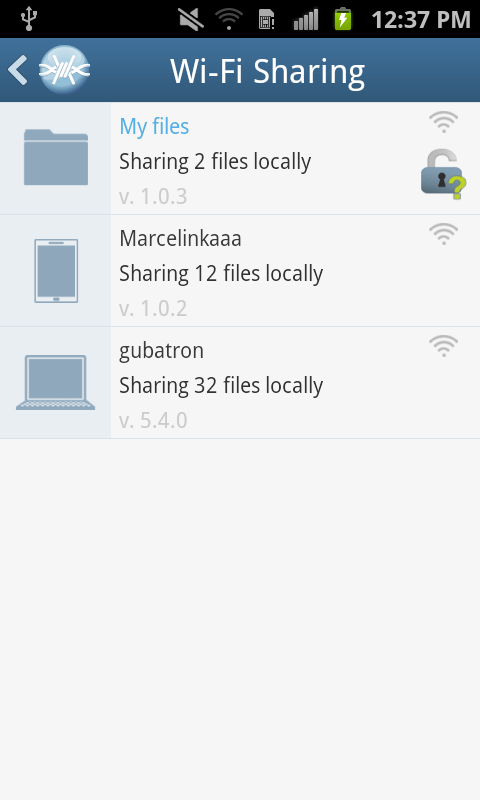
Improved icons for Wi-Fi sharing/unsharing are coming to FrostWire for Android 1.0.6, and FrostWire 5.5.6

(some users thought their files were locked, hopefully this version of the icon will not cause any confusion)

Open padlock
File is available to other users running FrostWire on the same Wi-Fi network.

Locked padlock
File is not available on the Wi-Fi network.

Share responsibly and tag Open Wi-Fi networks with FrostWire stickers.

Get FrostWire 1.0 for Android

If you are getting an Android device this holiday season, we’ve spent the last 5 months building a must-have app for it.

Install FrostWire via Google Play.

Download the .apk installer.

Here’s a few things you can do with our completely re-designed and easy to use file sharing client and media player.

Improved search that integrates with the cloud.

Search results are faster than ever (instant in most cases) and not only you’ll have the most powerful BitTorrent Deep-Smart search[1] featured in previous versions, now FrostWire integrates with popular cloud services where content creators from all over the world share millions of legally available files[2].

The fastest downloads ever on any FrostWire for Android.

Be it on Wi-Fi, 3G or 4G you will experience in most cases downloads that are so fast you won’t even see the progress bar begin to move, by the time the transfer screen is opened the file will already be on your device. Specially when sharing files with other FrostWire devices (PCs too) on the same Wi-Fi network.

Share files between phones, tablets and computers without any networking know-how

You don’t have to use cables or become a computer guru to share files between your phones, tablets or computers. We’ve also been working on FrostWire for desktop so that when you open FrostWire on your phone or computer you will be able to see every device automatically.

Just make files publicly available by opening padlock icons next to the files and every device running FrostWire will be able to download and even stream music or video from each other.

This makes it great for groups of people (work, school, home, party), now you only need to take only one photo and share it with everybody else next time you’re all connected to the same Wi-Fi hotspot.

Sending documents, music, family videos between your mobile, tablet or computer has never been easier or faster, best of all it doesn’t even matter what Operating system you’re running, Windows, Mac, Linux, it doesn’t matter, all you need is FrostWire and a Wi-Fi router. It just works.

World class Gesture Based Music Player

We’ve redesigned our music player for simplicity and convenience. FrostWire’s music player is the world’s first gesture based music player, we built it thinking of drivers in mind, no need to take your eyes off the road if you want to switch songs or pause/resume playback.

On this version we’ve introduced a beautiful new design with a 3D presentation of the album art currently being played. It also has functionality to share or un-share the file you’re currently listening to without having to browse or find the file on your device.

Easier Navigation

We’ve recreated the navigation system on the application, it now has a beautiful animated and responsive slide in menu that will take you anywhere in the app, with room for future functionality, and if you’re playing a song you will be able to see the album art of the song being played.

We’ve also implemented a custom “Back” history handler so that you can backtrack perfectly the screens you’ve navigated as you used the app. You now have random access navigation through the menu, and sequential access navigation through the Android’s back key.

We’ve added new controls to let you instantly filter your own files and see which are being shared on the Wi-Fi network and which aren’t in just one touch.

Install FrostWire on your Android and spread the word, the more the merrier, it’s absolutely free.

Install FrostWire via Google Play.

Download the .apk installer.

[1] FrostWire's Deep-Smart search uses the most popular torrent indexing services to fetch torrent files, then FrostWire opens these files and searches for the individual files indexed by the torrent. As FrostWire searches it remembers the files it's seen in the past to make your next searches instantaneous.

[2] Only on YouTube.com in 2012 it was announced users had shared over 4 million Creative Commons licensed videos. FrostWire also taps on SoundCloud.com, the internet's biggest sound and music community of content creators, bands, singers and DJs that pay to make their music available for free to the SoundCloud community. If you share your content on YouTube or SoundCloud you're automatically available to the millions of FrostWire users on both Desktop and Android. Integration with more popular cloud services to come in the next releases.

When you download and install FrostWire you must agree that you will not use it for the purpose of copyright infringement otherwise the software won't work. FrostWire condemns copyright infringement. Downloading FrostWire does not constitute permission or a license for obtaining or distributing unauthorized files. It is illegal for you to distribute copyrighted files without permission. If you want to know about legal content you can download and distribute legally please visit FrostClick.com, Vodo.net, ClearBits.net, LegitTorrents.info and CreativeCommons.org

FrostWire for Android 1.0 Screenshots

We’re only days away from releasing the best file sharing application for mobile devices in the world.

A full blown file sharing client, a file browser with clear privacy controls to share files with others via WiFi or via BitTorrent, a gesture based music player, all free.