New FrostWire for Android 2.1.8-build-609 🐈

frostwire-android-release-2.1.8-b609-plus.apk 17.8 MB

FrostWire 2.1.8 build 609 - DEC/17/2019 🐈
- SoundCloud search/downloads fixed 🙌
- Ads can be temporarily removed by playing a rewarded video ad 🙌
- androidx.browser:browser:1.2.0-rc01 update
- androidx.exifinterface:exifinterface:1.1.0 update
- com.applovin:applovin-sdk:9.10.5 update
- com.unity3d.ads:unity-ads:3.4.0 new
- com.android.billingclient:billing:2.1.0 update
- dev: com.android.tools.build:gradle:3.5.3
- cleanups and optimizations

New FrostWire 6.8.3 (291) with search updates

Ubuntu/Debian: frostwire-6.8.3.amd64.deb 5.63 MB

Red Hat/CentOS frostwire-6.8.3.amd64.rpm 7.17 MB
Windows and MacOS installers are larger because they include an OpenJDK12 Java Runtime Environment and our custom build of mplayer.

ELimyyAWoAUhV5p

changelog

frostwire (6.8.3) stable; urgency=high

  • Soundcloud search and downloads fixed
  • Mac: CyberGHost VPN detection false-negative bug fix
  • Mac, Windows: new mplayer 1.4.0 build with ffmpeg 4.2 and openssl-1.1.c
  • Mac: launcher fixes bug that required legacy Java to be present in the system

— FrostWire Team contact@frostwire.com Wed, 11 Dec 2019 16:09:59 -0600

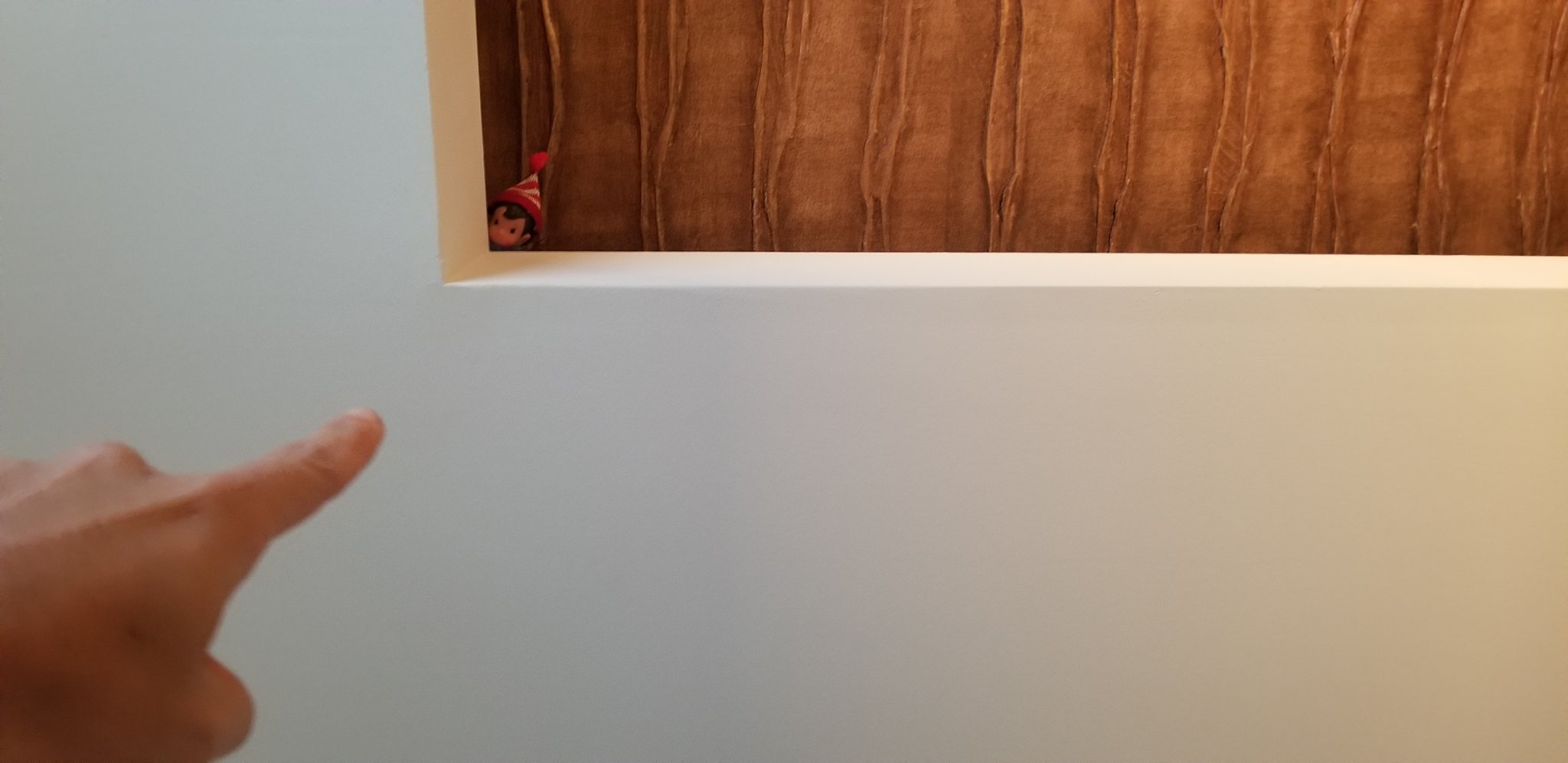
Photo: “Santa’s Snitch” by @gubatron , licensed under CC-BY

Source code (tar.gz)

You can now be Ad-Free, for Free, and FrostWire Plus users can do it too with the new FrostWire for 2.1.8

frostwire-android-release-2.1.8-b607-plus.apk 17.6 MB

For the longest time we heard complains about the ads and many of our FrostWire Plus users didn’t get the screen to purchase ad-removal because it wouldn’t have worked since that app is not the same app that’s available on Google Play and all the payment systems depend on Google Play.

That is until today.

Starting with FrostWire for Android 2.1.8, basic or plus, users in or out of the Google Play Store, don’t need money to experience FrostWire Ad Free.

We’ve integrated “Rewarded Ads”, and it works as follows.

If you play a Rewarded Ad completely, you will unlock Ad-Removal for up to 30 minutes.
If you want to spend a whole hour, then you’ll have to play a second ad to unlock the next 30 minutes.

remove-ads-30-minutes-ad-free

Every user is allowed to play 2 ads per hour during the whole day. If you happen to use FrostWire non-stop for 24 hours… you can do so Ad-Free without paying now.

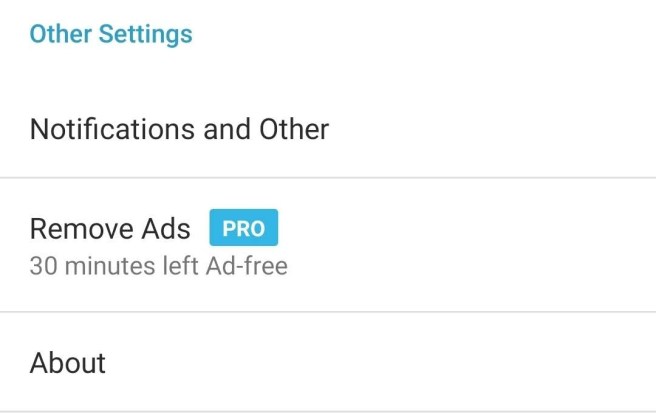
If you want to know how many minutes you have left until Ads start appearing again, you can always go to the Preferences screen and scroll down to the “Other Sections” settings, in there you will see a description of how many minutes you have left

remove-ads-status-on-frostwire-settings

New FrostWire 2.1.7 for Android, tested and ready for Android 10 devices

frostwire-android-release-2.1.7-b605-plus.apk 17.6 MB

After over a month of testing, tweaking and fixing today we’re releasing FrostWire 2.1.7 build 604 for Android.

This is a stability, performance and compatibility update that makes sure FrostWire is compatible with the next generation of Android 10 powered devices.

We’ve made sure the most important components of the application have been updated to the newest and most stable version, affecting startup, https connectivity and file system access compatibility moving forward with lots of important changes and restrictions that were introduced with Android 10.

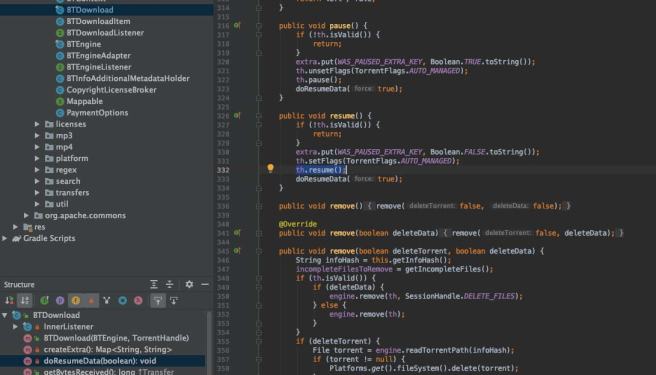
btdownload_java_code_in_IDE

FrostWire 2.1.7 build 605 – NOV/20/2019

  • Android 10 compatibility updates
  • Android 4.4 support dropped, minimum compatible version is Android 5.0 Lollypop
  • OKHttp 3.14.0 update
  • androidx components update
  • billingclient:billing:2.0.3 update
  • re2j:1.3 update
  • flexbox:1.1.1 update
  • applovin-sdk:9.9.2 update
  • buildToolsVersion ‘29.0.2’ update
  • play-services-ads:18.3.0 update
  • mopub-sdk 5.10.0 update
  • com.google.android.material:material:1.2.0-alpha0
  • vungle-sdk removed
  • ANR and crash fixes

Royalty free photo by Simon Migaj

New FrostWire 6.8.3 (desktop) UPDATE available now – macOS Catalina compatible

frostwire-6.8.3.windows.github.exe 29.5 MB
frostwire-6.8.3.dmg 37 MB
frostwire-6.8.3.amd64.deb 5.63 MB
frostwire-6.8.3.amd64.rpm 7.17 MB
frostwire-6.8.3.amd64.tar.gz 12.2 MB

This release prepares FrostWire for the next generation of desktop of operating systems. We spent all summer re-building all of our native (C/C++) components for 64-bit architectures and newer libraries for FrostWire to keep running as efficiently as possible for years to come in Windows and Mac.

66099881-de90cd00-e565-11e9-9c7f-e2439f435389

On this last iteration we worked for several weeks to rebuild one of our most important components, the media player. FrostWire now has a custom build of MPlayer 1.4.0 which recently got a most expected major update, along with a new ffmpeg 4.2 build and updated openssl encryption which is used every time you play media via https streams. In addition we’ve included other streaming protocols that allow our MPlayer build to do streaming of live content (this feature is not yet available through our user interface, but it might be)

We’ve also fixed a bug that was hunting us for years, we’ve rebuilt and simplified our Mac launcher program, in the past a bug would not let the application be launched unless you had installed Java 6 on your mac, an old legacy version of Java that wasn’t really necessary to run FrostWire since FrostWire comes with its own Java runtime (Currently Java 12, another big update we did this summer)(

Changelog:

frostwire (6.8.3) stable; urgency=high
* Mac, Windows: new mplayer 1.4.0 build with ffmpeg 4.2 and openssl-1.1.c
* Mac: launcher fixes bug that required legacy Java to be present in the system

— FrostWire Team Thu, 4 Oct 2019 10:24:50 -0600

Photo by Matheus Queiroz

FrostWire is a Free and open-source BitTorrent client first released in September 2004, as a fork of LimeWire. It was initially very similar to LimeWire in appearance and functionality, but over time developers added more features, including support for the BitTorrent protocol. In version 5, support for the Gnutella network was dropped entirely, and FrostWire became a BitTorrent-only client.

Having issues with Android 10? Here’s a FrostWire release just for you

Download FrostWire for Android 2.1.7 build 601

If you have Android 10 (aka Android “Q”), please upgrade to this release installer (v2.1.7 build 601) which makes downloading and playback work again on this new Android.

17991309_10155289222787863_4763680263267500462_o

Help us keep it healthy and upgrade to keep using it on Android 10. In the meantime we’ll keep working on more updates that will make it for the final release.

Thank you for your patience, thank you for using FrostWire, the more people on the network the better it performs. We’re lucky to have a community that cares.

Here’s the changelog so far, more coming for the final release once all the rough edges are smooth.


FrostWire 2.1.7 build 600 – OCT/01/2019

  • Android 10 compatibility updates
  • Android 4.4 support dropped, minimum compatible version is Android 5.0 Lollypop
  • OKHttp 3.14.0 update
  • androidx components update
  • billingclient:billing:2.0.3 update
  • re2j:1.3 update
  • flexbox:1.1.1 update
  • applovin-sdk:9.9.1 update
  • buildToolsVersion ‘29.0.2’ update
  • play-services-ads:18.2.0 update
  • mopub-sdk 5.9.1 update
  • vungle-sdk removed


New FrostWire 6.8.2 (desktop) MAJOR UPDATE available now

erica-nilsson-cat


frostwire (6.8.2) stable; urgency=high

  • Partial downloads now show only the files selected on Transfer details
  • Archive.org .torrent download errors fixed
  • TorLock and Torrentz2 search results are magnet based to reduce fetching errors
  • Mac: All C/C++ source code has been recompiled with MacSDK 10.14
  • Mac: MacOS Mojave compatibility updates, build revised for Apple’s notarization
  • New jlibtorrent 1.2.2.0 update
  • jlibtorrent updated to boost 1.71.0
  • jlibtorrent upgraded openssl to 1.1.1c
  • jlibtorrent compiled with std=c++14 (up from c++11)
  • libtorrent:pick contiguous pieces from peers with high download rate
  • libtorrent:fix error handling of moving storage to a drive letter that isn’t mounted
  • libtorrent:fix integer overflow in http parser
  • libtorrent:fix integer overflow in chunked http parser
  • libtorrent:factor out and unit test parts of the DHT routing table logic
  • libtorrent:improve sanitation of symlinks, to support more complex link targets (file_storage::sanitize_symlinks)
  • libtorrent:avoid empty dht routing table buckets
  • libtorrent:fix dht_stats_alert routing table stats for multi-homed clients
  • libtorrent:fix entry assignment from bdecode_node and lazy_entry
  • libtorrent:fix use-after-free issue in socket_type
  • libtorrent:fix error code messages when building without deprecated functions
  • libtorrent:feature to disable DHT, PEX and LSD per torrent
  • libtorrent:fix seeding of random number generator on mingw
  • libtorrent:fix issue where trackers from magnet links were not included in create_torrent()
  • libtorrent:extend the whole_pieces_threshold setting to also request contiguous pieces from fast peers
  • libtorrent:fix error handling of moving storage to a drive letter that isn’t mounted
  • libtorrent:don’t leak exceptions out of handler callbacks in resolver
  • libtorrent:ensure headers build independently
  • libtorrent:fix unit template’s mutating operators to give them proper ref qualifiers

— FrostWire Team <contact@frostwire.com> Fri, 30 Aug 2019 15:54:22 -0600

Photo by Erica Nilsson

FIXED: Apple Notarization issue: “The signature of the binary is invalid.”. One other reason not explained in Apple Developer Documentation

TL;DR: Do not zip your app bundles using the zip command, instead use the “ditto -c -k –sequesterRsrc –keepParent MyApp.app MyApp.app.zip” command, or you can manually right click on your MyApp.app bundle on Finder and click on the “Compress MyApp.app” option, the zip command alters the UTF binary encoding of the files and makes the signature invalid.


We just went through hell to get FrostWire for Mac notarized by Apple’s automated service.

Since FrostWire is not a regular Objective-C/Swift app, but a Java app, our (one-step) build process is done entirely using bash scripts on the terminal.

The Notarization process helped us realize we had some old binaries that we hadn’t compiled since Mac SDK 10.6, and it made us sign them with hardened runtime support, it also made us make sure that there were no hidden .DS_ files as these can also cause the app bundle to be considered invalid by Apple.

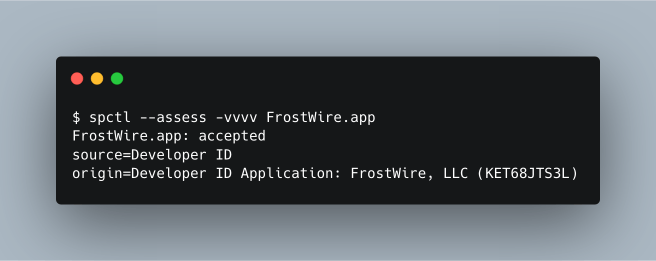
In the end we were able to sign our squeaky clean FrostWire.app bundle and however we checked it, it appeared to have no errors with it whatsoever.

verify-1

verify-2

verify-3

We’d always get the following error for our submission.

error

“The signature of the binary is invalid”

It was the damn .zip file

Thinking there was something wrong with our installer’s executable, we even re-built it using a custom Makefile and directly on the terminal, and not through an XCode project like we used to. As a plus, we think it’s much simpler now.

Between our signature checking on the local machine and the notarization submission there was one more step, compressing the FrostWire.app into a FrostWire.app.zip file.

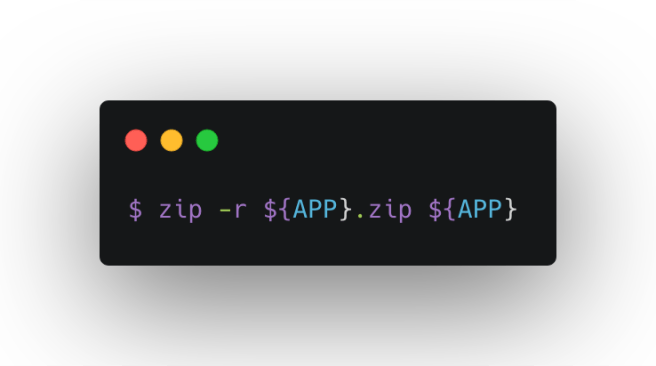
To zip our bundle before submitting it to the notarization service (altool –notarize-app), we were using the zip command available at /usr/bin/zip

zip

And this was the problem. This “zip” command is not the same compression software used by the Finder when you right click on a file and hit “Compress”

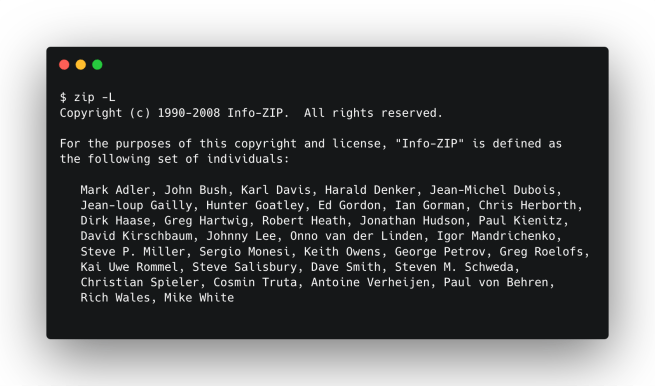
inzo-zip

it’s called Info-ZIP and it’s not made by Apple.

As soon as we zipped the FrostWire.app with the Finder and then submitted that zip file, we were successful.

It appears that the /usr/bin/zip tool “is converting UTF-8 NFD charset to UTF-8 NFC. The new APFS filesystem supports both encodings unlike HFS+ where UTF-8 was always converted to UTF-8 NFD.”

This is why the code signature checks passed just fine on our end, but not on Apple’s side.


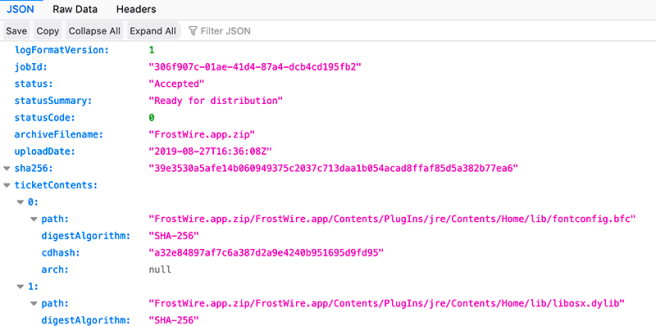
succcess

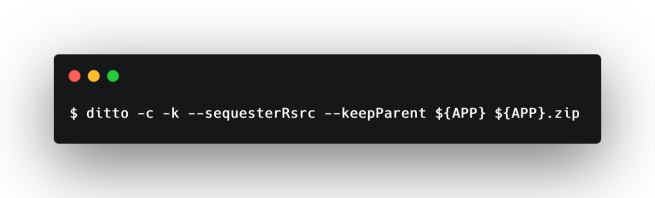
You can zip your bundle on your script with the “ditto” tool as if you were using the Finder, this way:

ditto

This issue is not mentioned on the Apple Developer Documentation “Resolving Common Notarization Issues” article,  hopefully it’ll make it to their ears and they’ll add this possible solution to their “Ensure a Valid Signature” section list of possible solutions and caveats.


New FrostWire for Android 2.1.6 build 598

Download the .apk for FrostWire Plus for Android now, absolutely free


20190723_180322

FrostWire 2.1.6 build 598 – AUG/24/2019

  • Fixes bug where sequential downloads couldn’t be turned off
  • Archive.org .torrent download errors fixed
  • TorLock and Torrentz2 search results are magnet based to reduce fetching errors
  • material:1.1.0-alpha09 update
  • play-services-ads:18.1.1 update
  • com.applovin:applovin-sdk:9.8.4 update
  • mopub-sdk:5.8.0 update
  • com.android.tools.build:gradle:3.5.0 update
  • com.android.support:design:29.0.0 update
  • com.android.support:animated-vector-drawable:29.0.0 update
  • com.android.support:customtabs:29.0.0 update
  • com.android.support:exifinterface:29.0.0 update
  • com.android.support:preference-v7:29.0.0 update
  • com.android.support:preference-v14:29.0.0 update
  • gradle wrapper distributionUrl=https://services.gradle.org/distributions/gradle-5.6-all.zip

Source code (tar.gz)

What happened to FrostWire

FrostWire is still under active (but slower) development as we cannot afford full time developers on the team as we used to. It’s a volunteer based Open Source project on which you can participate.

Make sure to download the latest version completely free

For your desktop computer

🐱 frostwire-6.8.2.windows.github.exe 27.5 MB

🐱 frostwire-6.8.2.dmg 34.2 MB


Or for your android device
🐱 frostwire-android-release-2.1.6-b598-plus.apk  17.9 MB


what happened to frostwire