New FrostWire for Android 1.0.8 out

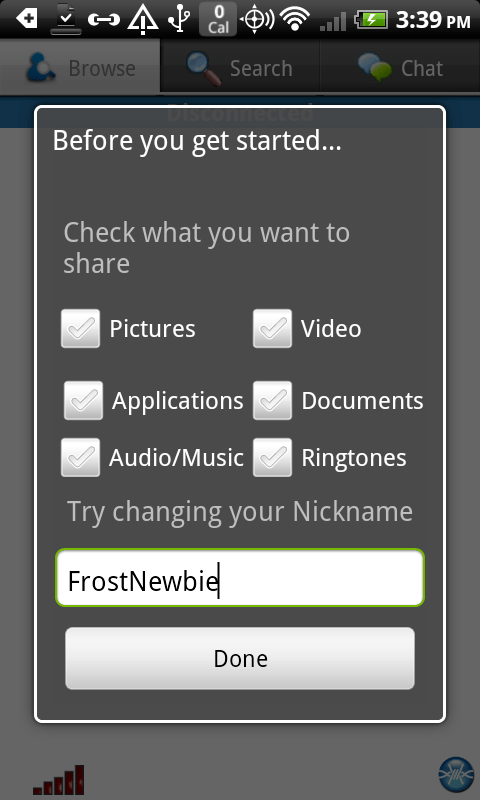
Screenshot of the new FrostWire for Android navigation menu

A new FrostWire for Android is out on Google Play.

In this release we improved our search algorithm to include relevant search results that were being hidden in previous versions.

We’ve also made use of Square’s Picasso Image loading/caching library for displaying all the images on the user interface, resulting in less crashes due to out of memory errors we kept receiving. Now when browsing your Audio files you will be able to see the cover art of the track, making music browsing a lot friendlier.

We’ve removed ad display from the player window, no more admob ads, instead we’ll rely on the support of the community and we’ve placed a donation control which you can always turn off on the application settings.

We’ve added a new navigation menu called “Watch TV” which will either launch or take you to the android market so that you try our new app “FrostWire TV   ” to watch live TV channels (and a huge library of video on demand content). This app is still in beta testing period, we’d love for you to give it a try and give us as much feedback as you can. We’ll reveal more details about our Live TV initiatives and new partnerships on an upcoming press release. As an added bonus,

this release is compatible with OUYA, however there’s still a lot of user experience details that need to be fine tuned for better feedback on non-touch screens. Here is the full changelog:

FrostWire 1.0.8 - MAY/31/2013
 - New main menu entry to launch "FrostWire TV" app.
 - Search algorithm improvement brings better quality and missing search results.
 - Local audio files now show album art making local music browsing friendlier.
 - Fixes bug where audio player would stop instead of pausing when removing headphones.
 - Updated Image caching based on Picasso, better frame rate overall, should see
   less Out of memory error reports.
 - Fixes bug where the search cache couldn't purge old entries nor it could be deleted.
 - Fix for parsing torrents with minor mistakes in trackers list.
 - Less intensive HTML detection during torrent parsing
 - Added jdk14 logging library.
 - Fixes bug where .torrent files and magnets would not open with some file/web browsers.
 - Fixes crash reported when there is no access to the image cache folder.
 - Fixes crash initializing donations Billing Service.
 - Better description for mobile network data usage and bittorrent preferences.
 - Removed Google AdMob.
 - Added donations request component instead of ads.
 - Integrates Offercast offers on installation.
 - Experimental OUYA compatibility.


FrostWire 5.5.4 changelog

Free FrostWire 5.5.4 Download Now
In Geek speak, here are the full changes for FrostWire 5.5.4, released on Thursday, Feb. 21 2013.

frostwire (5.5.4) stable; urgency=high
  * New Feature: extract audio (.m4a) from (.mp4) videos on right click.
  * New Core Feature: HTTP resumeable large transfer support.
  * Upgrade: Default save folder for cloud downloads is updated without 
    restarting.
  * Upgrade: 'Repeat song' playback mode now available.
  * Upgrade: Enriched promotion display, now with audio and video previews and
    shortcuts to content creator's social media channels/streams.
  * Upgrade: binary compatibility improved for Windows releases.
  * Bug fix: if default save folder is changed it's now part of library scanned
    folders.
  * Bug fix: smart search engine wasn't notifying when it was done if there
    were no results.
  * Bug fix: several crashes and errors fixed.
  * Bug fix: partial download dialog for cloud downloads would sometimes appear
    empty.
  * Bug fix: out of memory error by UPnP-cling creating an infinite number
    of threads.
 -- FrostWire Team   Thu, 21 Feb 2013 14:38:57 -0500

New FrostWire 5.5.2 out – Look Mom, No Java required (full changelog)

happy-thanksgiving-2012

A very important FrostWire update has been released featuring about 20 bug fixes and enhancements.

Mac users that had issues with 5.5.1 and downgraded to 5.5.0 should update to 5.5.2, lots of issues were fixed for the Mac platform as we get ready to submit FrostWire to the MacOSX App Store.

Look Mom, No Java required (on Windows, Mac coming soon)
A major change in 5.5.2 for windows is the way that FrostWire uses the Java Runtime Environment.

Before 5.5.2 our installer would check if you had a suitable Java Runtime Environment installed and if it wasn’t there it’d try to download Oracle’s JRE and install it in your computer. This complexity introduced the possibility of several thousand FrostWire installations to not finish properly, our files wouldn’t be decompressed correctly and many of you couldn’t run FrostWire.

After 5.5.2, it doesn’t matter if you have Java installed or not. Our installer comes with a Java Runtime Environment, now every FrostWire running 5.5.2 will be running the same exact version of the JRE thus getting rid of JRE Fragmentation issues. FrostWire comes with a JRE compiled from source by the FrostWire Team, it includes several fixes after the public release of the JRE 7u10 update, and you should feel FrostWire performing a lot better if you’re on Windows.

Lately the Java Runtime Environment has been getting a lot of bad press due to security exploits that affect Java Applets on web browsers, please know that these security vulnerabilities do not affect FrostWire in anyway.

Please let us know of any issues, or enhancements you think are of the utmost importance and we’ll try to include it on 5.5.3 which we hope will have some major changes in the UI, towards our final design for FrostWire 6, which will focus on making the user experience a lot friendly and according to more modern design trends in software applications.

Enjoy and share responsibly.

frostwire (5.5.2) stable; urgency=high
* Upgrade: Now 'Movies' or 'My Videos' folder is included by default on new
installs since we now have a built-in video player.
* Upgrade: The Smart Search engine can now be disabled. No torrents will be
indexed and no search against the local database will be performed if
disabled.
* UI fix: Video Player Window Title now shows the file name being played.
* UI fix: Library > "Finished Downloads" renamed to "Default Save Folder"
* UI fix: When browsing another device on the Wi-Fi network newest shared files
are shown at the top of the table.
* Bug fix: On first installation FrostWire wasn't able to add 'From Devices' folder
to the Library.
* Bug fix: When restoring default settings FrostWire was not restoring default
library folders.
* Bug fix: Player remembers volume level from last song played.
* Bug fix: Sends correct file sizes on HTTP headers for shared files that
have changed in size after being shared.
* Bug fix: Repeat media play setting with only one item.
* Bug fix: New mime detector based on a bigger table.
* Bug fix: Video player doesn't skip frames when resuming from pause.
* Bug fix: Video player doesn't move frames when paused and volume slider
is being moved.
* Bug fix: Dropping a .torrent starts a download and doesn't ask to send to
a friend.
* Bug fix: (Windows) can delete files that are being played or seeded
from the Library.
* Bug fix: (Mac) compatibility with Mac OSX 10.5.x restored.
* Bug fix: (Windows) media player can open files with long paths.
* Bug fix: prevents NPE when opening a .torrent and trying to show icons when
the file system chooser wasn't available.

-- FrostWire Team  Tue, 15 jan 2013 20:00:00 -0500

New FrostWire 5.3.9 out (changelog)

Download it now, Free

frostwire (5.3.9) stable; urgency=high
  * BEP 34 compliant. FrostWire now checks DNS TXT records for tracker
    config.
  * Soundcloud integration (Search, Streaming and Downloads).
  * Fixes issue with partial download title window not showing the name
    of the torrent correctly.
  * UI Improvement: Action hints on top of search results to stream or
    download or see the contents of the torrent.
  * UI Improvement: Action hint on top of playable contents in the
    library.
  * UI Improvement: Search result Source now includes the name of the
    author if available.
  * UI Improvement: Search keywords are bolded in the titles of search
    results.
  * UI Improvement: Creation date for non-torrent search results available.
  * UI Improvement: File size of non-torrent search results available.
  * UI Improvement: Opening 'Configure Options' on the Library takes user
    to the Library Settings pane.
  * UI Improvement: Right clicking on the title	of a search tab	now
    shows the only action available (Repeat Search) directly.
  * UI Improvement: A FrostWire	update can now be invoked from the 'Tools'
    menu.
  * UI Improvement: New Notification update	button will	be available on	
    the	Window header to let the user know visually that there's a
    FrostWire update available.
  * UI Improvement: Added 'Cleanup Playlist' right click menu item in
    playlists.
  * UX Improvement: When saving	a newly created .torrent, FrostWire
    will make sure the file is saved with the .torrent extension.
  * Fixes issue	with file names	downloaded from	FrostWire for Android.
  * Fixes issue	adding new radio stations to the library.
  * Fix of MP3 ID3 tags unicode parsing.

 -- FrostWire Team   Fri, 24 Aug 2012 20:43:35 -0500

New FrostWire 5.2.11 – Best Search Performance ever and new Internet Radio support on the Library

Download it now, absolutely free


Huge huge huge improvements in search performance
If there’s a file indexed by a torrent, no matter how rare it is, it should be able to find it for you.
Not only that, search results for individual files (indexed inside torrent) arrive noticeably faster.

New: Internet Radio
Added new Internet Radio support on the Library tab.

FrostWire is pre-loaded with nearly 600 radio stations out of the box, you can add new stations, bookmark them and sort them by name, url, bit rate, audio file format, and more.

*User Experience Improvements*
We listened to all your user experience complains, being the most important one finding out where your finished downloads were going.

Now when you finish a transfer, you can just double click on it, and all the files downloaded will be shown on the Library tab.

If a transfer contains audio files, you can select it (along with other transfer that also contain audio files) and with the context menu you can send all the included audio files straight to a new playlist or an existing playlist on the library.

Become a beta tester
Thanks to the beta tester community for the patience and a big applause for the developer team, I think this is truly the best release ever.

You can join the beta testing community here.

Follow @FrostWire on Twitter for live updates.

Changelog
frostwire (5.2.11) stable; urgency=high
* Fixes bugs where some BitTorrent configuration settings were reset
on startup.

— FrostWire Team Mon, 28 Nov 2011 16:58:31 -0500

frostwire (5.2.10) stable; urgency=high
* Upload ratios will not be enforced to 30% of downloads anymore.
Users will have free will to set the upload ratio of their preference.
* Update autodownload now supported for mac.
* Updates can now be distributed via both BitTorrent and HTTP.
* HttpFetcher improvements for less resource consumption.
* HttpFetcher now supports large HTTP file downlods (progressive download).
* Improvements to Send File to a friend.
* Fixes bug where some finished Downloads wouldn’t “Show in Library”
* Bug report system revised.

— FrostWire Team Mon, 22 Nov 2011 16:34:04 -0500

frostwire (5.2.9) stable; urgency=high
* Enhancement: Lucene full text indexing for Smart Search database to
allow for fuzzy searches.
* Enhancement: Lucene full text indexing for Library database allows
better search results on Radio search and playlist search.
* Enhancement: Audio player will start playing currently selected audio
source if it’s on a stopped state.
* Bug Fix: Finished Downloads shows only finished downloads.

— FrostWire Team Wed, 9 Nov 2011 12:11:10 -0500

frostwire (5.2.8) stable; urgency=high
* Smart search updates uses less DHT resources and fixes logic bugs
that results into faster and better search results.
* New Internet Radio functionality on the Library. Play, Add, Remove
and bookmark your favorite Internet Radio Stations.
* Book/Document search now crawls for .cbr, .cbz, .cb7, .cbt and .cba
file formats.
* New “Show in Library” action for finished transfers. It is now the
default action when a finished transfer has been double clicked.
* Clicking on the currently played audio control should always take
the user to the currently played audio file.
* Top Library tree nodes re-arranged.
* When downloading a single partial file, the transfer manager shows
the proper icon based on the file type of the file being downloaded.
* Add partial downloads, and multiple transfers that contain audio files
to playlists right from the transfer manager.
* The library can now be configured to scan any folder the user desires.
* Files can be added to playlists right out of search results.
* New explore action button on the Library tab.
* New send to friend action button on the Library tab.
* Faster loading of Finished Downloads.
* Library search behaves as expected for all kinds of searches.
* A lot of bug fixes.

— FrostWire Team Mon, 7 Nov 2011 17:02:29 -0500

frostwire (5.2.3) stable; urgency=high
* Change the order of an audio file on playlist with drag and drop.
* Change the order of multiple audio files on a playlist with drag and drop.
* Drop audio files and folders at a specific position inside a playlist.
* Remembers the column and order you last set on the transfer manager
after restart.
* Remembers the last file type you searched for after restart.
* New FrostWire icon compatible with Ubuntu 11.10
* Bug fix, now if you’re playing a song and you resort the playlist by
any of the columns, the next song to be played will be the one below
the current song in the new order.
* Searching inside “Finished Downloads” now yields folder names as search
results.
* Fixes lingering popup menu issue.
* Fixed DNS query issue affecting Linux.

— FrostWire Team Thu, 20 Oct 2011 17:42:08 -0500

frostwire (5.2.2) stable; urgency=high
* Library tables are now cached in memory, searches are done in the cache
speeding up the experience considerably for users with several thousand
files.
* Create or add audio files to a playlist right from the Transfer manager.
* iTunes importing after audio transfers finish turned off by default.
* Completed transfers that contain at least one audio file can be sent
to iTunes from the Transfer manager.
* Audio status component recognizes an Audio Stream, from an Audio file
from an internet stream url. Clicking on it will take you to the
Android Tab if it’s an android stream or to the Library otherwise.
* Fixes issues with download mediator refresh.
* Fixes out of memory error.
* Real time UI feedback as audio files are being imported into playlist.
* F5, Cmd+R or Ctrl+R will refresh the current Library table.

— FrostWire Team Mon, 10 Oct 2011 18:03:10 -0500

frostwire (5.2.1) stable; urgency=high
* Play/Pause player buttons now share the same button depending on state.
* Mac OSX threading bug when importing .m3u playlist to new playlist fixed.
* Pressing space bar pauses/resumes currently played audio.
* Playlist files can be sorted correctly by track number when available.
* FLAC playback support.
* When a playlist has finished importing files, it’s shown to the user.
* Transfer manager remembers the position of its JSplitPane.
* Transfer manager sorts downloads by default based on their creation date.
* Transfer manager has new column “Started On” showing the date the transfer
first started.
* Drag and drop issues on playlist component for Mac OSX fixed.
* Partial download dialog table can adjust column widths, a horizontal
scrollbar will appear if the sum of the columns is wider than the dialog.
* When playing an audio file, if it gets deleted FROM DISK from inside
FrostWire, the audio file will stop playing.
* Files can be dragged to the “Starred” playlist and they will be marked
as starred. If files are dragged from Disk, creating a new playlist
will be offered, and all the elements on the playlist will be starred.
* Files can be deleted from the “Starred” playlist. This will cause the
files to be unstarred on every other playlist where they belong.
* The tables on the library remember the last position of their scrollbars
during the session.
* Double clicking on a playlist name starts editing the playlist name.
* Fixes bug where downloading an individual file in a torrent wouldn’t
be marked in the search results as downloading.
* Fixes a memory leak when importing ID3 tags into a playlist.
* Fixes bug where the duration of an MP3 file wasn’t calculated correctly
by MPlayer, duration is now being calculated with Java library.
* Fixes bug where it would import torrent skipped files to iTunes.

— FrostWire Team Wed, 05 Oct 2011 13:14:11 -0500

frostwire (5.2.0) stable; urgency=high

* New Library Tab, code named “Alexandria”
* New Audio Player controls
* New controls to create and manage playlists
* Drag and drop files from Finished Downloads, Audio, File explorer
into new or existing playlists.
* New control on status bar that shows current audio file being played
with a “Send to friend” button. Clicking on the file name bring user
back to where the audio file is being played.
* Export playlists to .m3u
* Import .m3u into new or existing playlists.
* Filter files inside currently selected file type or playlist.
* Audio player can randomize playback order, or repeat playlist.
* New icons all over the application.
* Album art is displayed when an audio file is selected on a playlist.
* Album art can be scaled in real time with split pane.
* Songs on playlists can be starred, Starred songs are added to “Starred”
* Selected songs on a playlist can be deleted with the Delete key, or
on right click Delete from playlist.
* Playlists can be renamed.
* Playlists can be deleted.
* When songs that have been deleted from disk are attempted to be played
they will be highlighted in red and with an exclamation mark.
* Right clicking on any song on a playlist > Cleanup removes all songs
on a playlist that have been deleted physically from disk.

— FrostWire Team Mon, 26 Sep 2011 18:00:00 -0500

New FrostWire for Android 0.5.5 with improved file sharing controls

We urge all FrostWire for Android users to install this latest update which addresses some stability issues and introduces improved sharing controls so that you are always aware of exactly what files you are sharing from your Android device when connected to the FrostWire for Android P2P network.

Here’s how sharing works after this update.

Now by default you decide on what file categories you will enable file sharing.

By default you will be sharing 0 files. This way you’ll avoid sharing the wrong files by mistake.

Now, there are clear instructions on how to enable sharing file categories and how to share individual files.

At first you won’t be sharing any files to better protect your privacy.

Long Press on a Category Icon at the top (e.g. Pictures), this will show an action to Enable file sharing on that category

After enabling Sharing on a category, you will see Padlock buttons.
A closed padlock means the file is private,

An open padlock means the file is shared with the network.

If you wish to disable file sharing for a particular category, again, Long Press on that category icon at the top of the screen.

All padlock buttons will be gone.

Now share safely and responsibly with FrostWire for Android.
A lot more changes coming in the weeks to come in regards to network performance.

Update: We are aware of file availability dropping now that the rules have gone in favor of making files harder to share. We are working on a few solutions to make sharing and un-sharing equally accesible.

However we’re strong on our decision to having files not shared by default when you first install the app. People have very personal files on their phones that they might not want to share with others and we prefer to keep everyone safe so that they’re not deterred from installing the app and we all have a great experience using it.

FrostWire for Android is still in its infancy but we like to release early, release often so hang in there, the app will get better and better as updates arrive so be sure to upgrade when you see the next notice for 0.5.6.

New FrostWire 4.20.5 out

Download FrostWire v4.20.5

FrostWire v4.20.5 is available now for Windows, MacOSX and Linux operating systems.

FrostWire is absolutely free DO NOT PAY for FrostWire.

If a company charged for it ask them for your money back.

Make sure you download FrostWire only from the official mirrors:
frostwire.com
brothersoft.com
download.com
sourceforge.net

Find out more about FrostWire “Torrent Joint” v4.20 series

Support FrostWire

You can support FrostWire by recommending it to your friends, you can get these Free FrostWire Stickers* to make that more fun.

Another way to support development and distribution costs is to get your self a new t-shirt to wear.

Stickers and T-Shirts are shipped worldwide.

Changelog

Changelog for v4.20.5

Version 4.20.5 "Torrent Joint" (March, April 2010)
- Fixes audio player issues. Now all MP3s should support skipping and gain control.
- Fixes bug on status bar speed meter. Now BitTorrent uploads speeds are added up and shown correctly in it.
- Fixes High CPU usage bug while loading hostiles ip list.
- Fixes a bug on MacOSX on which FrostWire would only start downloading a .torrent only if FrostWire was already running.
- The FrostWire windows installer will now clean FrostWire Desktop shortcuts if uninstalled.

FrostWire is licensed under the GPLv3.
Browse the FrostWire Source Code

* Stickers are free, you only pay for the postage or you can send a self addressed stamped envelope.

FrostWire “Iced Torrent” 4.18.6 Released

The new FrostWire 4.18.6 (code named “Iced Torrent”) is out.

New Features include:

Easier Tab Navigation (Toggling)

Right click on a tab and you’ll have the option to hide or show any of the FrostWire tabs right there.

Improved .torrent metadata file sharing

Automatic .torrent sharing has been reimplemented to correctly share .torrent files you use, thus enabling more torrent metadata file content on the gnutella network as FrostWire 4.18.6 and further versions is adopted by the community.

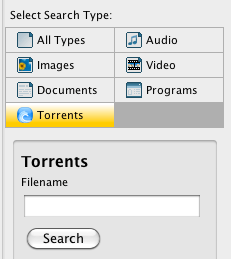
.torrent files have now been included as a search type

Being a BitTorrent client it was unnatural not having a .torrent file search.
The more the community uses FrostWire for BitTorrent, the more search results will be available under this search type.

Other important updates for this first release of 2010 include bugfixes on Theme Handling, the Console Tab dissapearing, a lot of code cleanup, 2 reported crashes fixed and a slightly smaller installer compared to the previous version.

Next releases will improve BitTorrent support and antivirus integration for windows users.

Download FrostWire, it’s absolutely free and open sourced.

About FrostWire

“FrostWire is a peer-to-peer file sharing program for the Gnutella and BitTorrent protocols. FrostWire is written in Java, and is a fork of LimeWire, another popular Gnutella client from which it was originally born. Released under the GNU General Public License, FrostWire is free software.”

Wikipedia

Download FrostWire Safely

You can download FrostWire for free safely from the official mirrors:
BrotherSoft.net, Download.com and SourceForge.net

Related Articles
BitTorrent’s Future? Decentralized Search and Hosting
Don’t pay for FrostWire, avoid scams

FrostWire “Arctic Shield” Released

Download FrostWire “Arctic Shield”

The newest FrostWire release “Arctic Shield” (version 4.18.5) has arrived.

By the request of our users the latest version adds some serious connection and anti-spam improvements.

FrostWire “Arctic Shield” is by far the most significant update of 2009 and we strongly recommend this update.

Continue reading “FrostWire “Arctic Shield” Released”

New FrostWire 4.18.0

FrostWire 4.18 Splash screen

FrostWire 4.18.0 is finally out for Windows, Mac and Linux. Among the most important changes are:

  • Fixes Bittorrent Incompatibilities.
  • Mac launcher fixes bug where FrostWire would not allow itself to run on a external disk.
  • Fixes bug on Welcome Screen, now you don’t need to open FrostWire twice to get the latest welcome screen.
  • FrostWire caches the last 2 images shown on the Welcome Screen to save bandwidth from static servers.
  • Tools > Check for Updates. Now FrostWire can check for configuration updates, community messages, new FrostWire releases and welcome screen promotion updates during runtime.
  • The welcome screen can be customized for every language, giving the chance to more content creators to be promoted every week to different audiences that speak their language.
  • The Buttons of the Download Manager have been rearranged to avoid mistakes when trying to resume downloads. The Clear and Cancel Buttons are all the way to the right. Thanks to ‘ssome’ for the suggestion.
  • New Splash Screen.
  • Anti spam filters updated to filter out new keywords used by spammers.
  • New “Buy” icon.
  • The community chat ‘Connect’ button now checks if a nickname has been set and helps the user set a default nickname using an input dialog.
  • When users issue the “/nick” command on the chat, FrostWire will remember the new nickname as the default nickname.

A little more on these updates
Some bugs on the Bittorrent implementation were causing CPU usage to go to 100%, also torrents created with KTorrent presented some incompatibilities that are now fixed. Thanks to FTA for these patches. There’s also some work that exists on the code that will allow FrostWire to let the user download only certain files shared by a torrent. This is useful if you find a torrent with multiple files and you only care about a few of them. Since we need a little more testing for this feature it’s dormant on 4.18.0. FrostWire hackers can play with the code and enable it.

After Unpack200 was introduced for all the FrostWire jars to reduce the installer size we imposed a limitation on the Mac installer that allowed FrostWire to be run (the first time) only from the Applications folder. This limitation is now gone thanks to users that complained when 4.17.2 came out. You can now install FrostWire on your Mac on any folder, including external drives, USB drives, etc.

The integration between FrostClick.com and the FrostWire welcome screen will be far more effective as of 4.18.0. Before 4.18.0 FrostWire users would not see the latest promotion from FrostClick.com downloads until they’d open FrostWire a second time. Now, the minute a promotion is launched from FrostClick, 4.18.0 will be able to display the featured download and independent artists and free content owners will see the benefits of FrostWire/Frostclick free promotions a lot faster. Also, promotions can now be distributed to different languages so FrostWire communities in other countries will also be able to enjoy content in their own language, opening the stage for more artists per month. The images for promotions are now cached on disk, thus giving a much needed bandwidth relief to the Frostclick/FrostWire servers.

A subtle change on the interface has been implemented. Some users complained about the ordering of the buttons on the download manager, it was causing some of the users to get confused and cancel their downloads. Buttons have been re-arranged so that this doesn’t happen. Also the “Buy Item” button has a more visible icon now.

New users not familiar with IRC terminology got lost in the process of setting up a nickname joining the chat community (since they’d skip steps on the setup wizard and not enter a default nickname). Now FrostWire checks if you have set up or not your chat nickname. If you have not, a friendly dialog will let you set your default nickname before Connecting to the Chatroom. No more, Tools > Options … and restarting needed to join the chat for the first time. Also, when you change your nick using the “/nick” irc command, FrostWire will notice the nick change, and save the new nickname as the new default nickname. Next time you open frostwire, you won’t have to issue the “/nick” command again.

Other than these there are a lot of internal updates and new dormant functionality that subversion followers may have noticed in the code base during the winter months. These game changing upgrades are of such importance that we are leaving them for the FrostWire 5.0 series.

Stay tuned for a few 4.18 releases that will deal directly with spam issues, and order your free stickers before they run out, make sure you send us your pictures.

Download FrostWire 4.18.0 From The Official Website